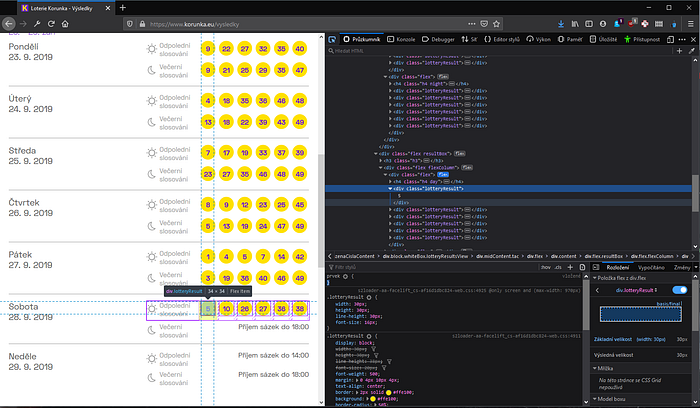
Goal
My goal is to get the latest czech lottery numbers (updated twice a day) and send them via SMS to a GSM cell number. I also want to automate this task to do it twice every day, so that is where cron comes in. All of this is going to be running on a Rasberry Pi.
Install the prerequisites
For this project I will need a web scraper. I’ve used Beautiful Soup in the past, so that is my choice now too, for the ease of use. We will also need requests to download the webpage content (or you can use the standard python library urllib) and smptlib for sending the sms/e-mail. Install it with pip, like this (or let your IDE do the job):
pip install beautifulsoup4 requests smtplib
Beautiful Soup is a Python library for pulling data out of HTML and XML files. It works with your favorite parser to…
Implementation of the web scraper
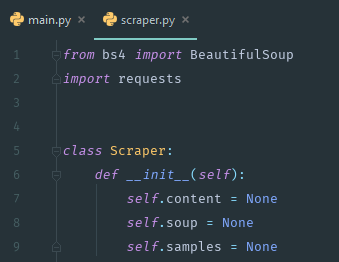
First I import the modules, create a simple Scraper class and initialize a few class variables. The UI you see is the PyCharm IDE with Material theme.
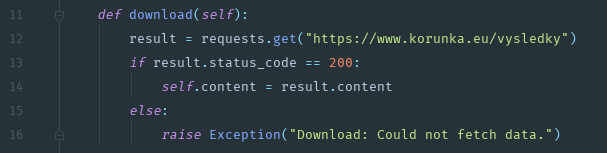
 Then I use requests library to download the web-page with lottery results. I’ve added a simple check for successful download — it throws an exception otherwise, which I will catch later in the pipeline.
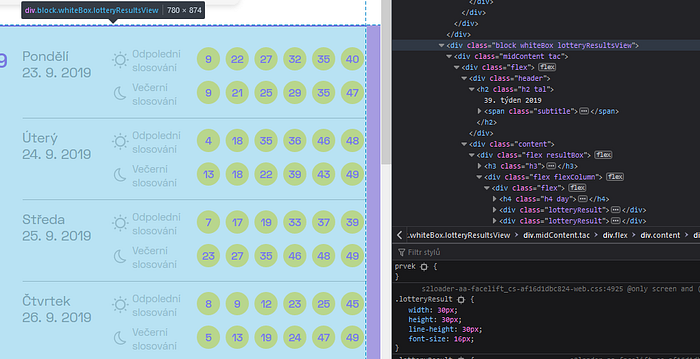
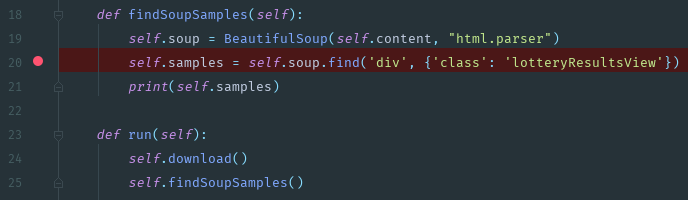
 My target is the whole div with lotteryResultsView class name. Once I get it, I can extract the last six numbers (I do not need to search for it based on the current date, because the numbers are reliably updated every day at certain times of the day).
 A method for finding samples with beautiful soup and a method to run it all.
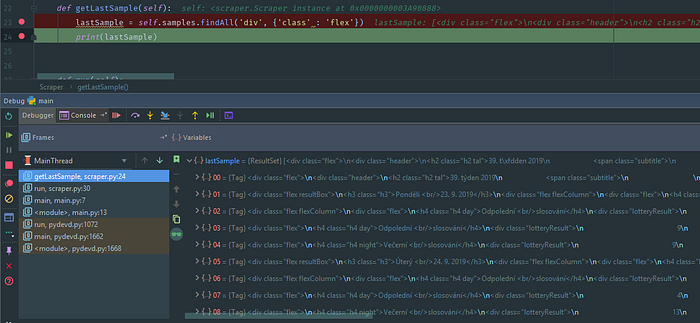
 Now if I search for all the flex divs, I get a ResultSet containing the “lines”.
 The lottery results that have been drawn already have different css, which I can use to my advantage. Notice that lotteryResult class is only set for the already drawn results. For the pending ones there is none.
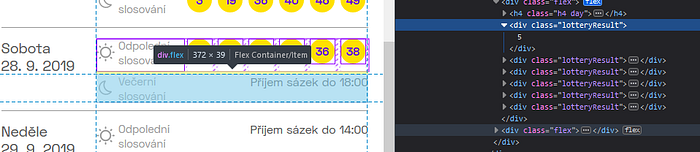
 Also in the debugger
Now I can just cycle through the ResultSet, save every result to a temporary variable lastSample, and when I find that the scrape returned None break the cycle and return the saved result ‘s parent div — that will be the last sample row.
Also in the debugger
Now I can just cycle through the ResultSet, save every result to a temporary variable lastSample, and when I find that the scrape returned None break the cycle and return the saved result ‘s parent div — that will be the last sample row.
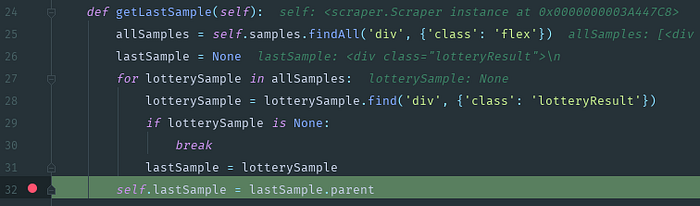
 Thus, parent of the last lotteryResult is the flex:
All I have to do now is to extract the individual results.
Thus, parent of the last lotteryResult is the flex:
All I have to do now is to extract the individual results.
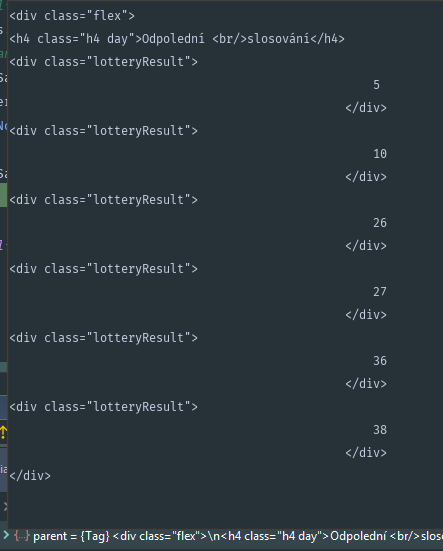 The lotteryResult list
During making this tutorial, the numbers got drawn, so the script has now taken the evening numbers. Here is the method for extracting the numbers — first i extract the string annotating the time of day (identified with h4 [day|night]). For the numbers I use the findAll method, get the text of the element and strip it of any whitespace.. and then append it to an array. Last step is to save all of this into a tuple.
The lotteryResult list
During making this tutorial, the numbers got drawn, so the script has now taken the evening numbers. Here is the method for extracting the numbers — first i extract the string annotating the time of day (identified with h4 [day|night]). For the numbers I use the findAll method, get the text of the element and strip it of any whitespace.. and then append it to an array. Last step is to save all of this into a tuple.
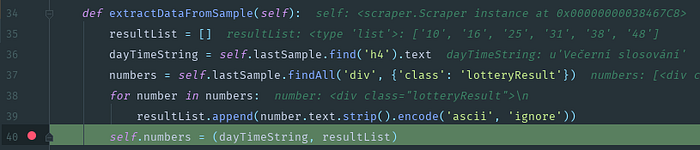
 Last cosmetic change — a method to prepare the numbers for the e-mail text body.
Send an SMS
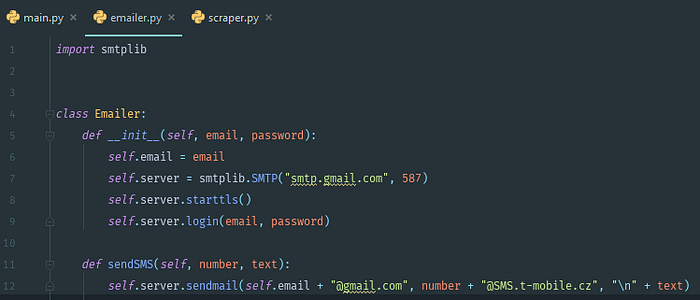
Okay, so the numbers are now extracted. Next thing I want to do is to send the numbers via an SMS to my GSM cell number. I will use my GSM operator’s ability to send sms with an email — if you don’t have this, look for some service online, I am sure there are plenty.
T-mobile supports something called “E-mail to SMS”. I am going to use just that.
Here it is, a simple Emailer class. No exception handling, just barebones script to send an email.
 Plugging it all together:
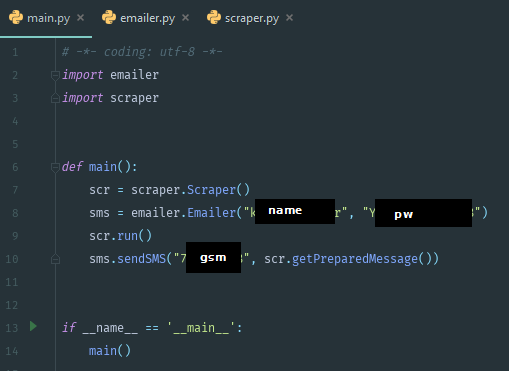 Once I run this script, I should receive an SMS.
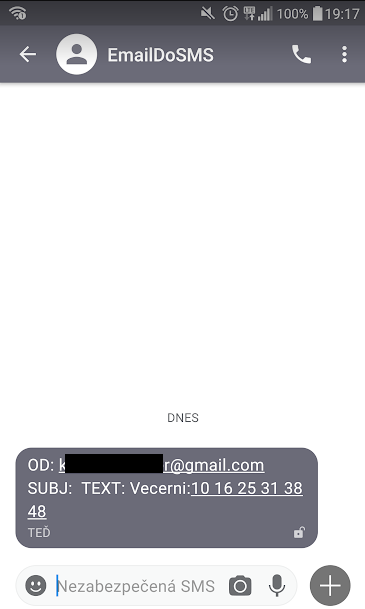 SMS received :)
Cron job
First I ssh to my raspberry pi. I am using MobaXTerm, an amazing tool for this. It has an integrated XServer and SFTP client, that connects simultaneously with the ssh connection. Very convenient for copying files to your Pi, or any sysadmin work really.
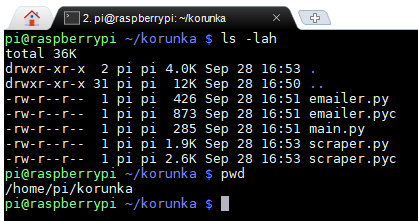
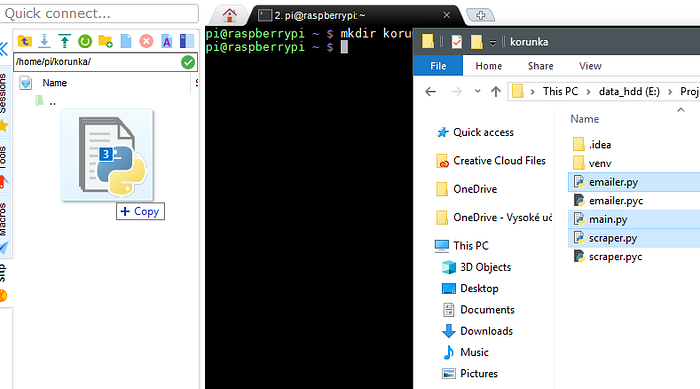 Okay, so the files are up. I tried to run it once, and everything works. Now I need just the path and it is ready for the last step — adding it to the cron scheduler.
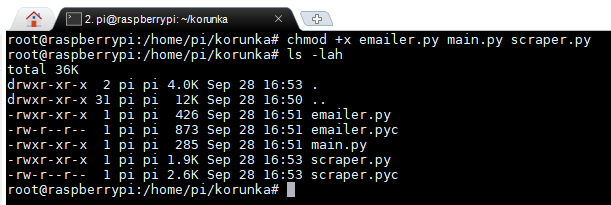
 As root I change the execute rights for the files. Now they can be run.
 I need to specify the interpreter in the files, so the system knows what to run them with.
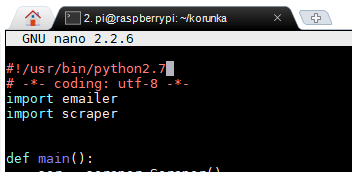 I have only python 2 on my Pi, use whatever you got. My code runs with Python 3 and 2.
Last step — I add it to the crontab. I choose to edit it manually. I want it to run twice a day, at 12:30 GMT+2 and at 16:30 GMT+2.
I have only python 2 on my Pi, use whatever you got. My code runs with Python 3 and 2.
Last step — I add it to the crontab. I choose to edit it manually. I want it to run twice a day, at 12:30 GMT+2 and at 16:30 GMT+2.
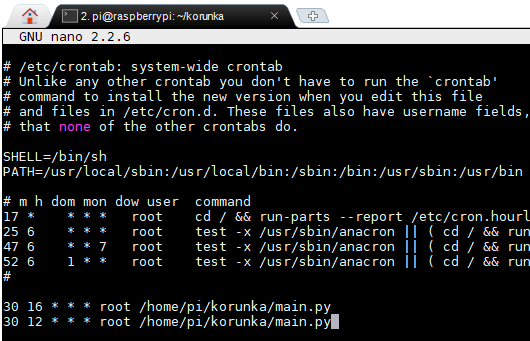 I did a small test — set the crontab entry for the current time + 1 minute. I’ve received the SMS correctly and it has also shown in the syslog. Job done :)
 The complete web-scraper code is available on my github, but I advise you to use it only as an inspiration, as it is just a minimal working script, and in some cases may be unsafe (no exception handling, hardcoded passwords).