This is a second part of my gamedev series. For setting up walking (and other animations) see the first part.
This is going to be a 3rd person controller, so I will position the camera over the shoulder and assign it as a child object to the Player.
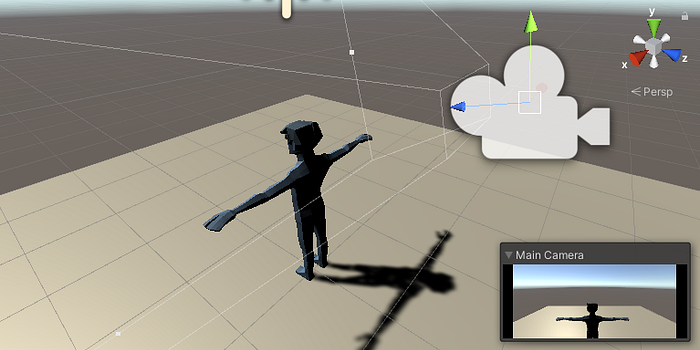
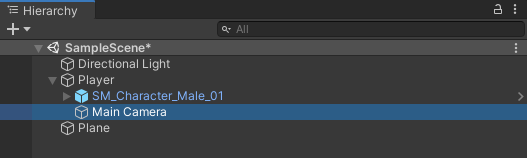 I create a folder for Scripts in the Assets. Then I create the PlayerController script.
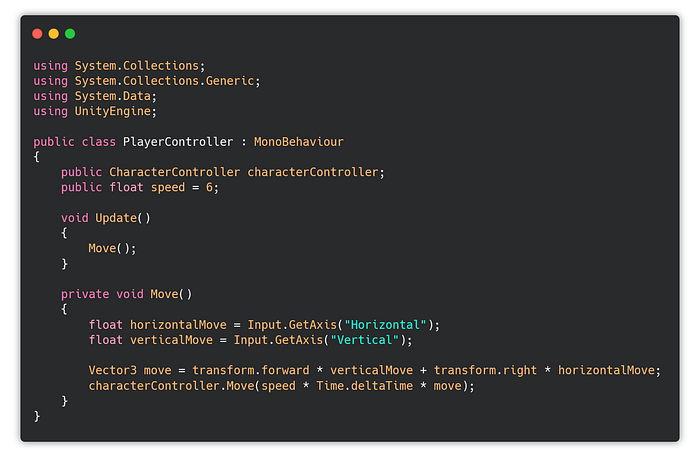 This will move the character by using the built-in functions.
Now I need to add the Character controller to the Player object and edit the collider capsule to fit it.
This will move the character by using the built-in functions.
Now I need to add the Character controller to the Player object and edit the collider capsule to fit it.
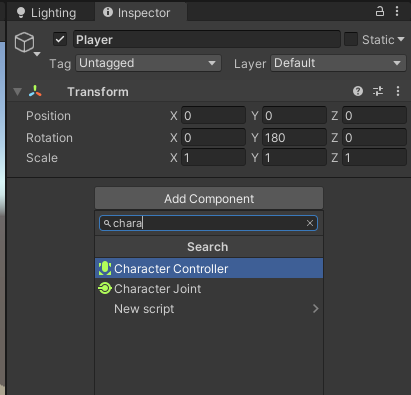
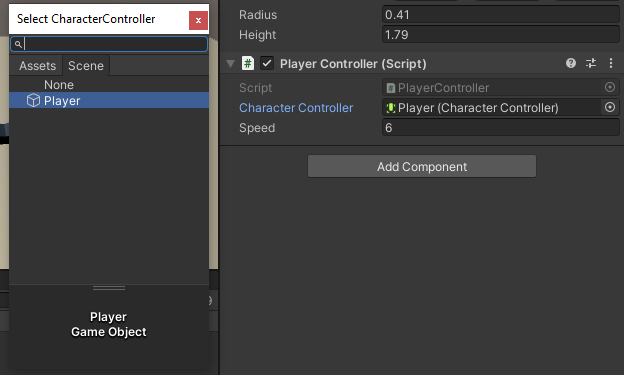
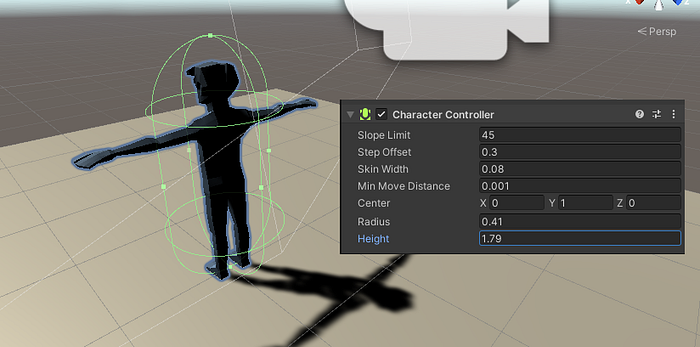 Next I assign the player controller to the player object and add the character controller.
 Before testing the movement I add a few placeholder objects to the empty scene, so it’s a bit more interesting to look at and walk around.
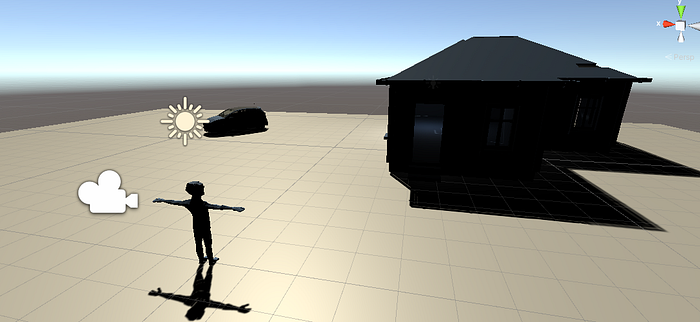 When I play the scene I can move around freely with classic W-A-S-D controls.
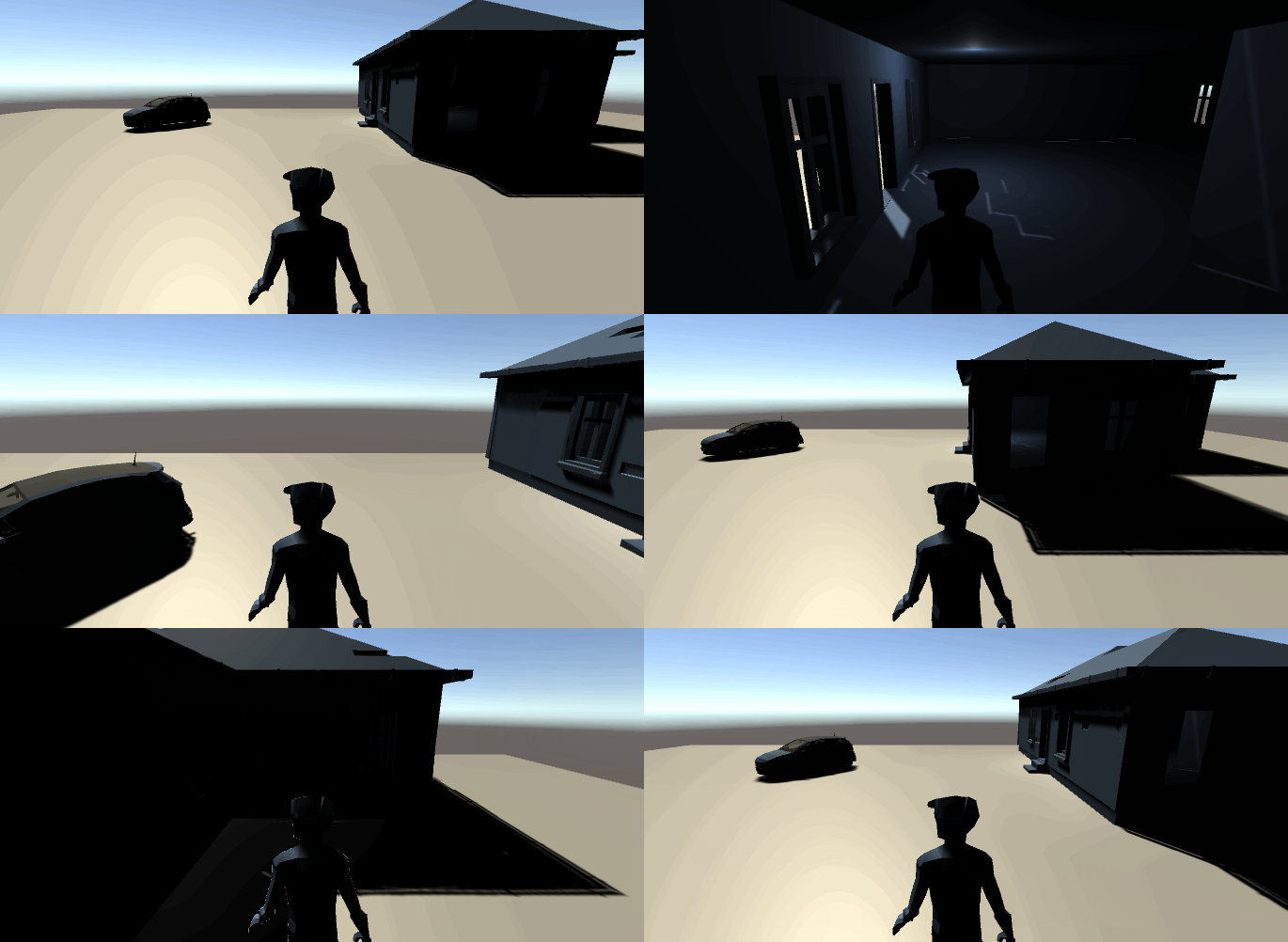 Another thing I need to add is gravity, so the character doesn’t stay floating after he steps on the stairs and also I need to add the walking animation, character rotation, and looking around with the mouse.
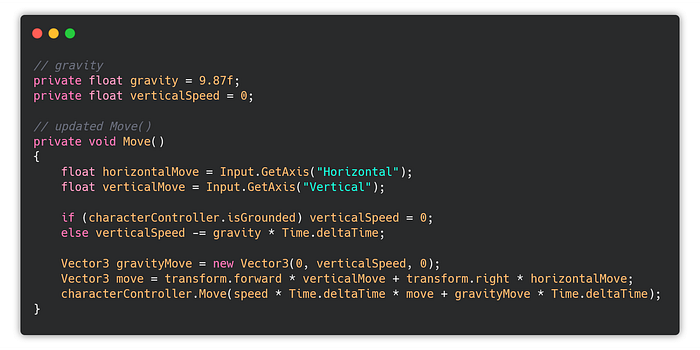 Gravity
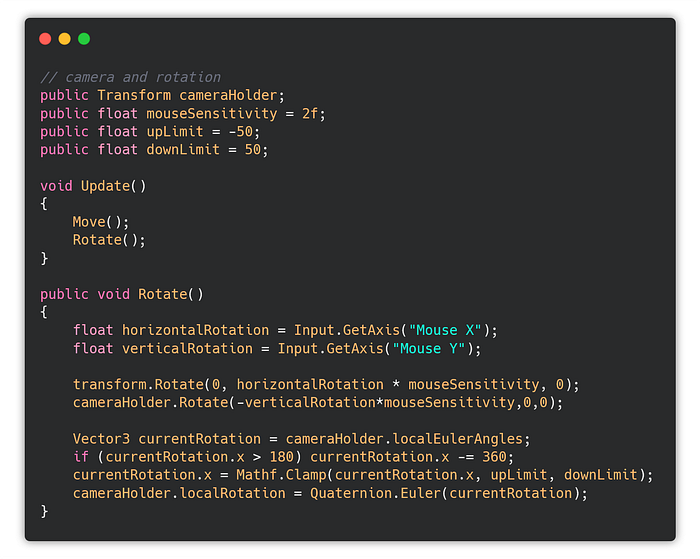 Camera rotation
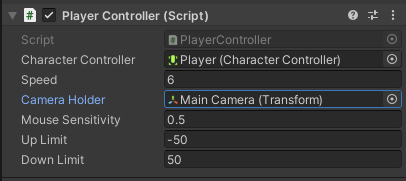
I also assign the Main Camera to the Camera Holder in the Player Controller script.
Camera rotation
I also assign the Main Camera to the Camera Holder in the Player Controller script.
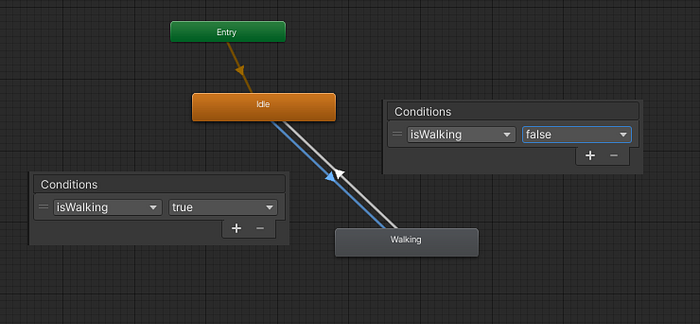
 The final steps are the animations. The Animation Controller has two animations — Idle and Walking. I create back and forth transitions between them.
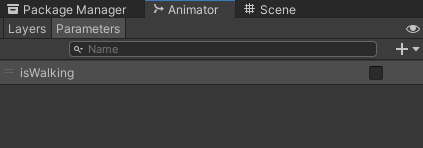
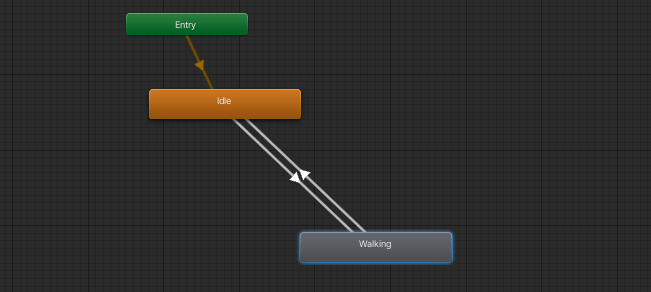 I add a new parameter isWalking in the Animator (the + button, new Bool):
 Then I add conditions to the transitions:
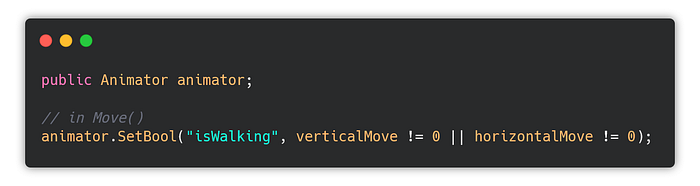
 And call it in code.
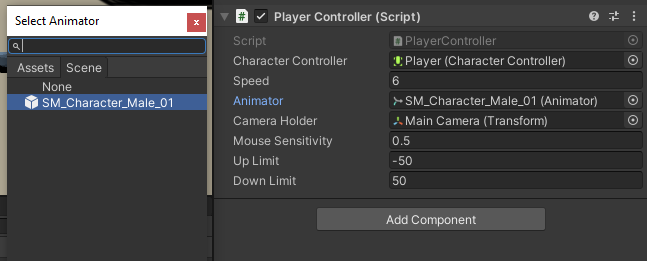
 Last thing I need to do is to assign the Animator to the animator variable.
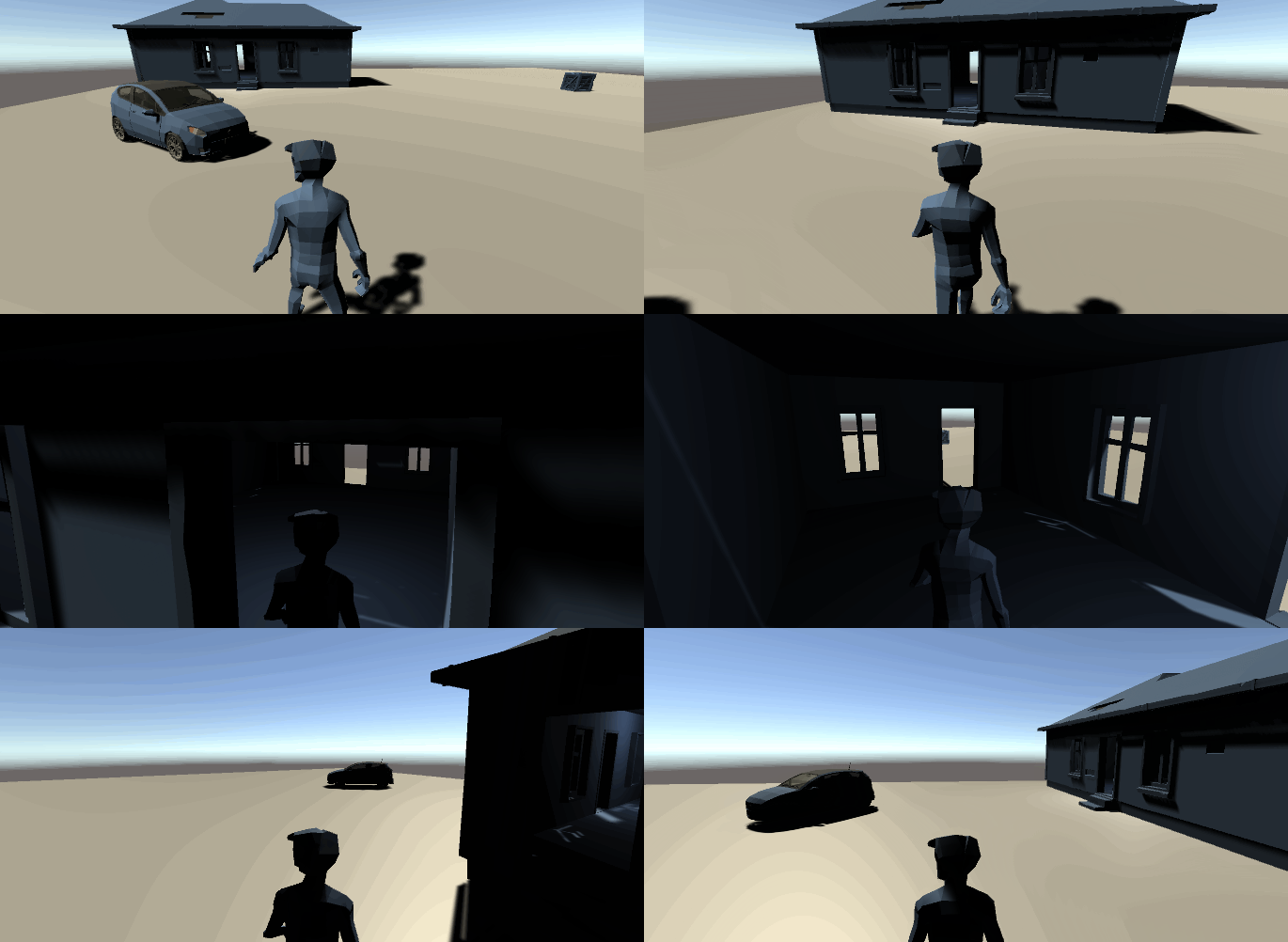 Final result
Player Controller code on my github.
If you’ve found my article interesting, you may be also interested in my game development course for beginners:
https://www.udemy.com/course/make-a-3d-game-in-unity-2020-from-scratch-with-free-assets/?referralCode=8B96F6C67527AEEA39D9
Final result
Player Controller code on my github.
If you’ve found my article interesting, you may be also interested in my game development course for beginners:
https://www.udemy.com/course/make-a-3d-game-in-unity-2020-from-scratch-with-free-assets/?referralCode=8B96F6C67527AEEA39D9