In this part I will show you how to generate enemies on the NavMesh. I will make them chase me and collide with objects properly.
If you want to have the same scene to follow this tutorial exactly as it is, finish the previous 2 parts of the series.
This is a start of a new game development series. I will be showing you basics of working with Unity game engine. Unity…
This is a second part of my gamedev series. For setting up walking (and other animations) see the first part.
Public enemy #1
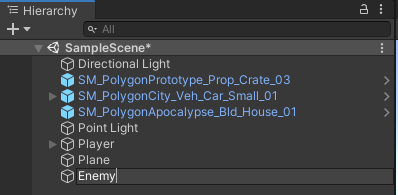
Create an Enemy object
 The free Synty Polygon package provides a number of free character models. There are four bean person models, and a man and a woman. Now, having another man with a different texture would be boring, and I don’t want to be chased by a hundred women at once either. So I chose a police bean model, that seems like a good representation of my general fears of totalitarian state (kidding). Choose a model and drag it into the scene.
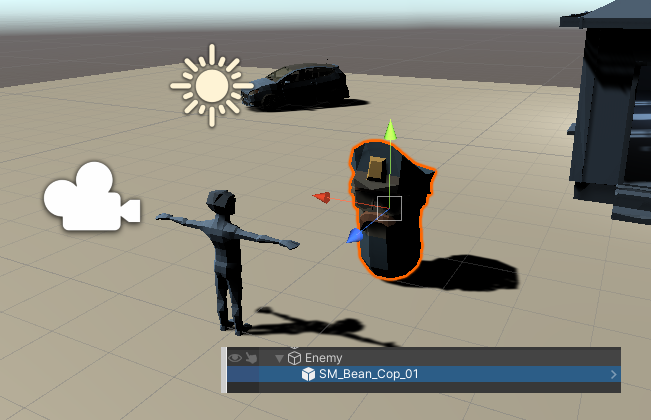
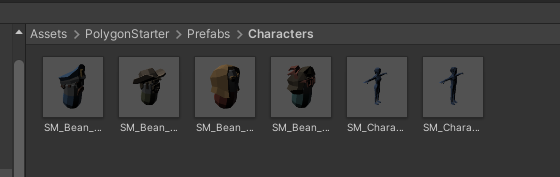 I go with the police bean monster. Parent it to the Enemy object.
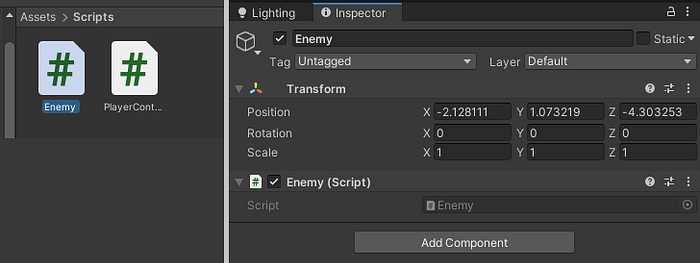
 Create and Enemy script and assign to to the Enemy object.
Pathfinding-make the enemy chase you
Open the Navigation panel
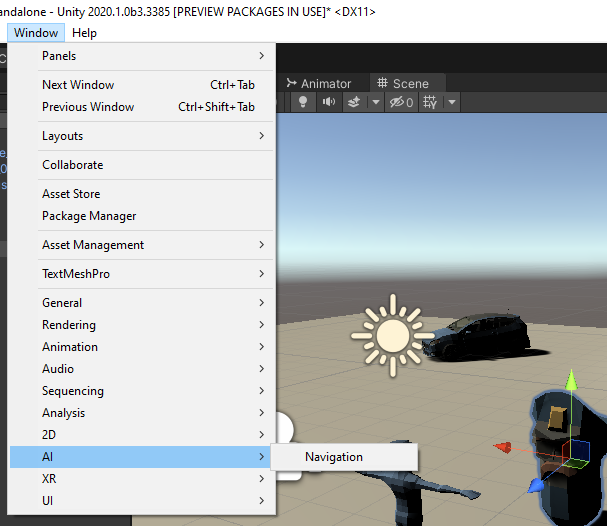 Once opened, select the Plane object and check Navigation static. Also check if the area is set to Walkable.
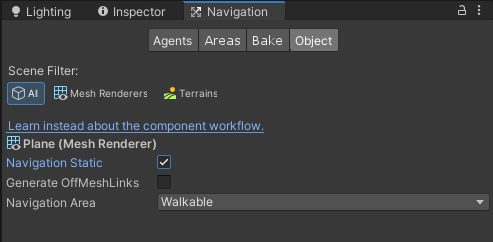 Then switch to the Bake panel and bake it in with the Bake button.
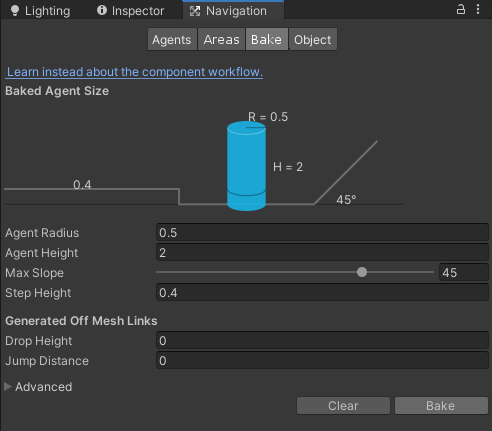 Now the scene looks like this.
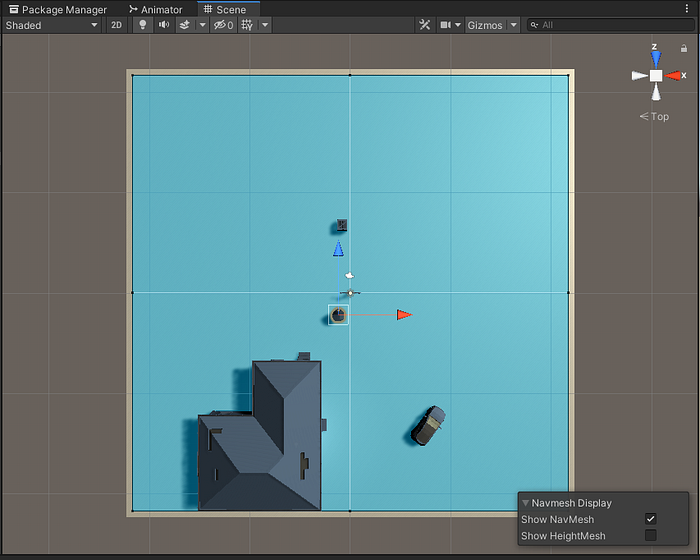 Now I need to change the scene objects to Not-walkable. Click the individual objects and change their navigation. Then Bake it.
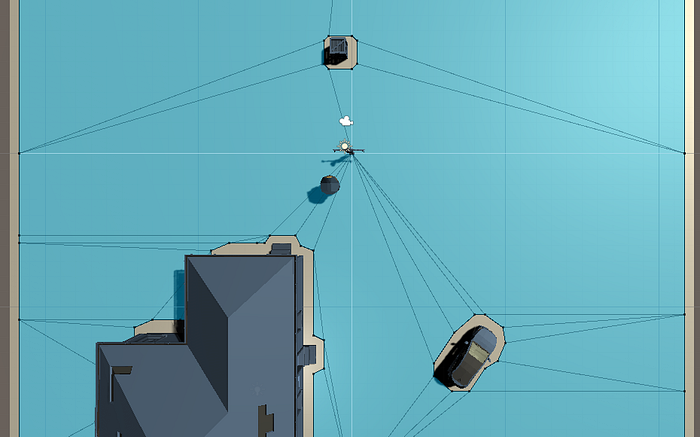
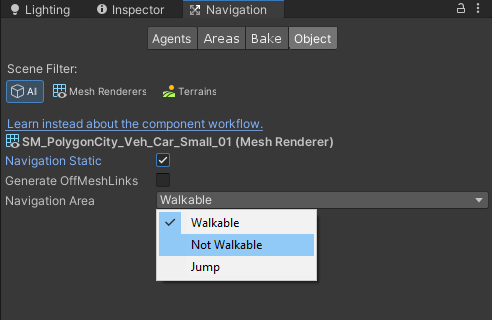 Then it will start looking like this. The enemy will not be able to walk through these. He knows only the walkable areas.
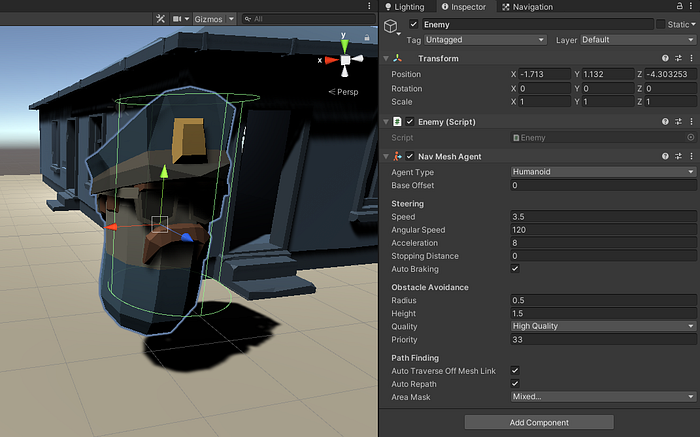
 The enemy needs some basic intelligence to be able to chase the player. Add the NavMeshAgent component to him (Choose Player and the Add component). If the bounding box is weird, edit it to fit at least a bit.
 Then assign him the NavMeshAgent reference, so he knows what he can walk on. And then just tell him what transform he has to follow. It’s all reference based, so once the player moves, the path also automatically updates.
using UnityEngine;
using UnityEngine.AI;
public class Enemy : MonoBehaviour
{
    private NavMeshAgent pathfinder;
    private Transform target;
    void Start()
    {
        pathfinder = GetComponent<NavMeshAgent>();
        target = GameObject.Find("Player").transform;
    }
    void Update()
    {
        pathfinder.SetDestination(target.position);
    }
}
The cop bean is now chasing us.
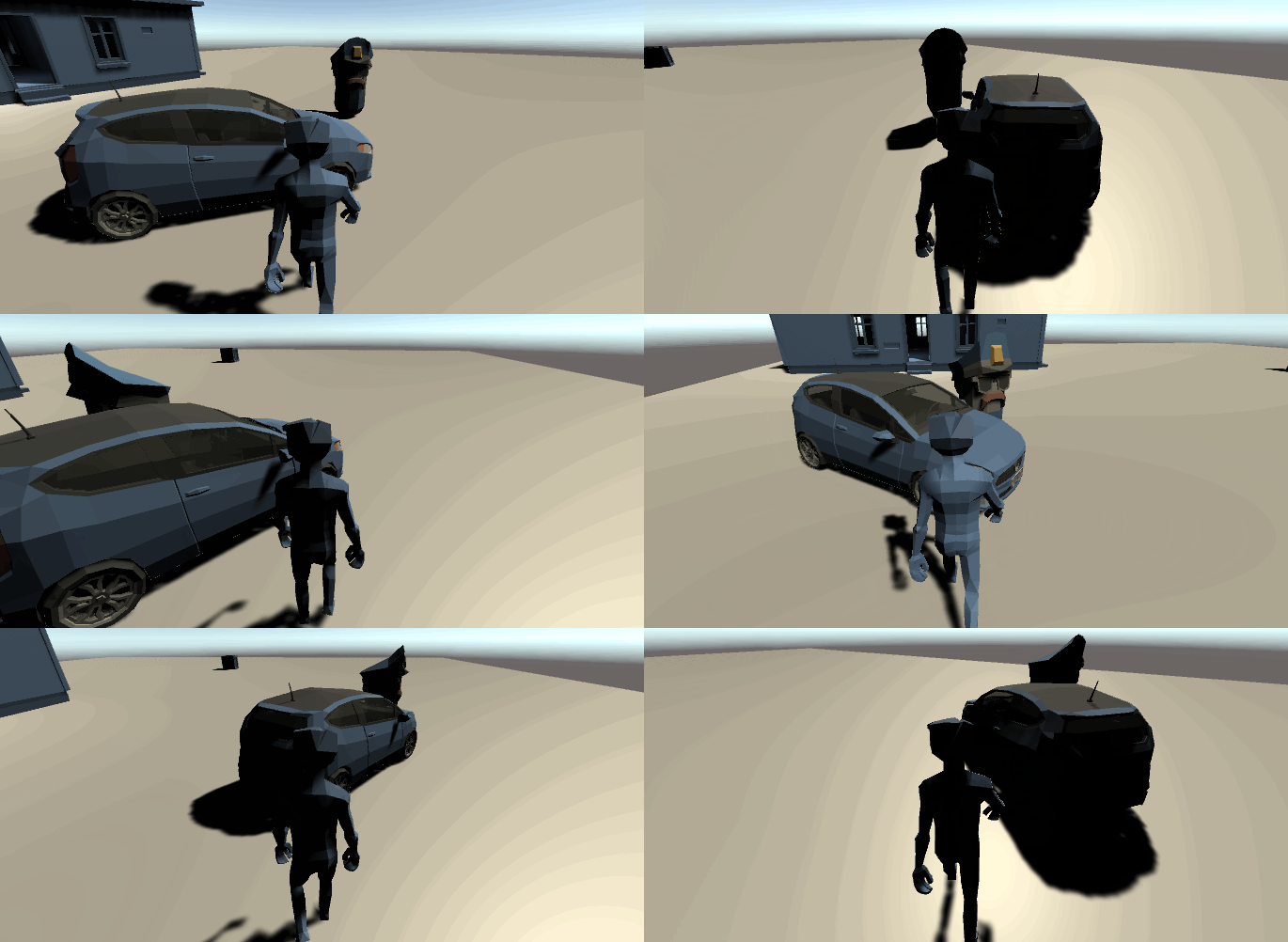 If you are just starting to learn how to develop games, you can follow my udemy course on Unity development for beginners:
Hi, my name is Jan Jileček and I am a professional game developer with master’s degree in computer science and I’ve…
Enemy Spawner
I will spawn enemies at random positions on the navmesh. Let’s do it!
First we need to make the Enemy a prefab, so it will be possible to spawn instance of it easily, in the configuration we set. Just grab the Enemy model in the Hierarchy browser and drag it into the Assets browser. Bam, its a prefab.
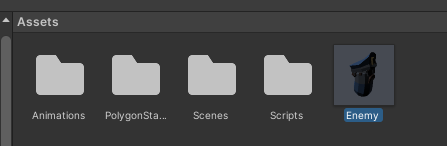 Create a new object in the scene, call it Spawner. Create a new script with the same name and assign it to the object. The script below will spawn a new object in the (0,0,0) coordinates.
using UnityEngine;
public class Spawner : MonoBehaviour
{
    public Enemy enemy;
    void Start()
    {
        Enemy spawnedEnemy = Instantiate(enemy, Vector3.zero, Quaternion.identity) as Enemy;
    }
}
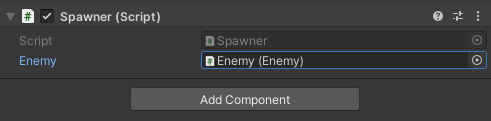
Assign the Enemy prefab to it. After you Run the game, two enemies will chase you. You can delete the original Enemy object, as it will be instantiated from the Enemy prefab from now on.
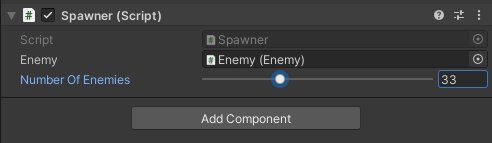
 Now for the most important part: Random spawning. With RandomNavmeshLocation function I randomly pick a random place on the Walkable mesh. And then I call it in the for loop. How many enemies gets spawn is controlled by the numberOfEnemies variable (I can control it from the editor using a slider, due to the Range attribute). The radius of the spawner is controlled by the range variable and I save each enemy object into a list.
using System.Collections.Generic;
using UnityEngine;
using UnityEngine.AI;
public class Spawner : MonoBehaviour
{
    public Enemy enemy;
    private List<Enemy> enemies;
    [Range (0,100)]
    public int numberOfEnemies = 25;
    private float range = 70.0f;
    void Start()
    {
        enemies = new List<Enemy>(); // init as type
        for (int index = 0; index < numberOfEnemies; index++)
        {
            Enemy spawned = Instantiate(enemy, RandomNavmeshLocation(range), Quaternion.identity) as Enemy;
            enemies.Add(spawned);
        }
    }
    public Vector3 RandomNavmeshLocation(float radius)
    {
        Vector3 randomDirection = Random.insideUnitSphere * radius;
        randomDirection += transform.position;
        NavMeshHit hit;
        Vector3 finalPosition = Vector3.zero;
        if (NavMesh.SamplePosition(randomDirection, out hit, radius, 1))
        {
            finalPosition = hit.position;
        }
        return finalPosition;
    }
}
And we are done.
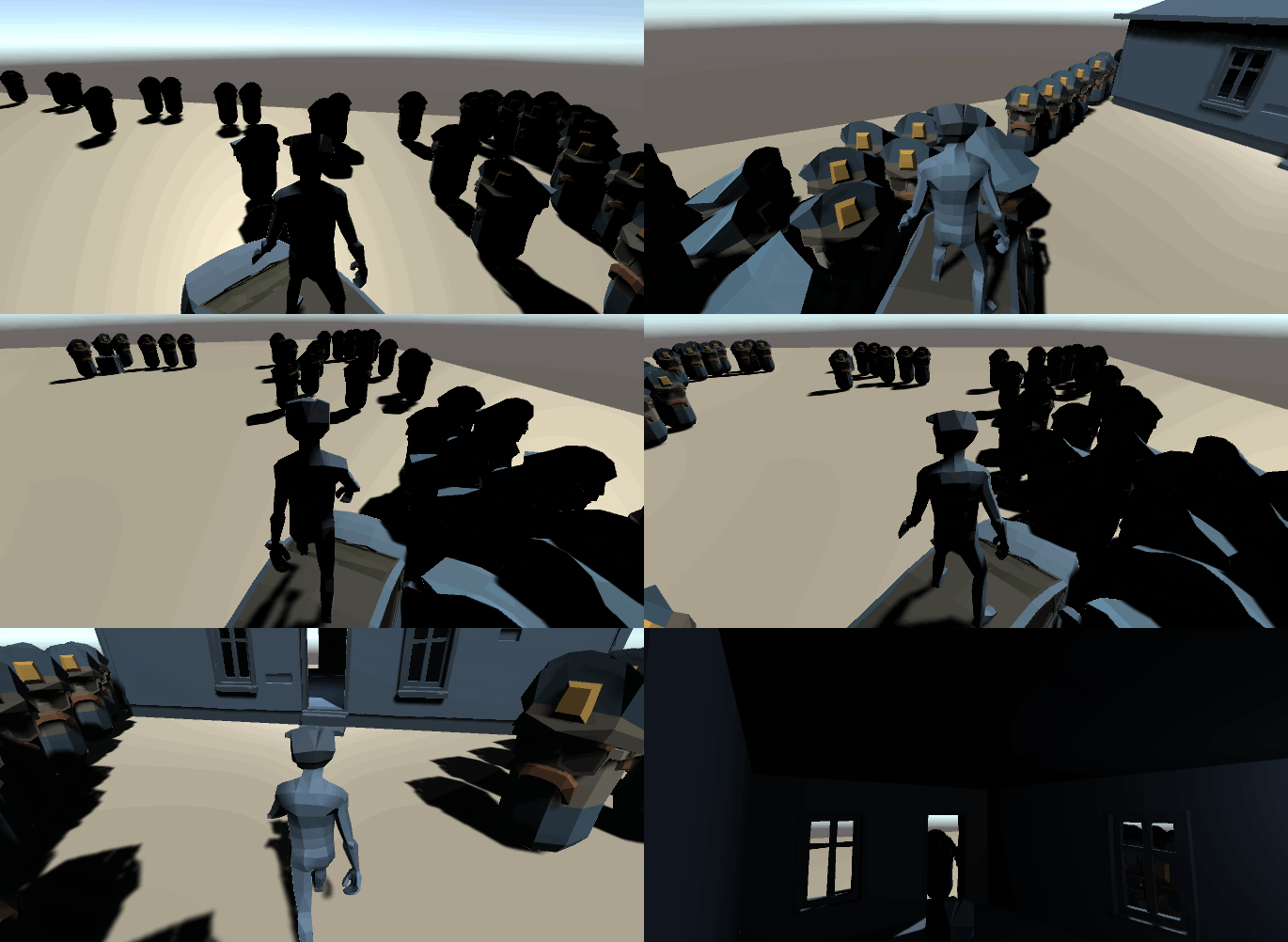 100 bean zombie cops
In the next part I will implement telekinesis to fight these zombie bastards off. Stay tuned.
Project code available on my github.