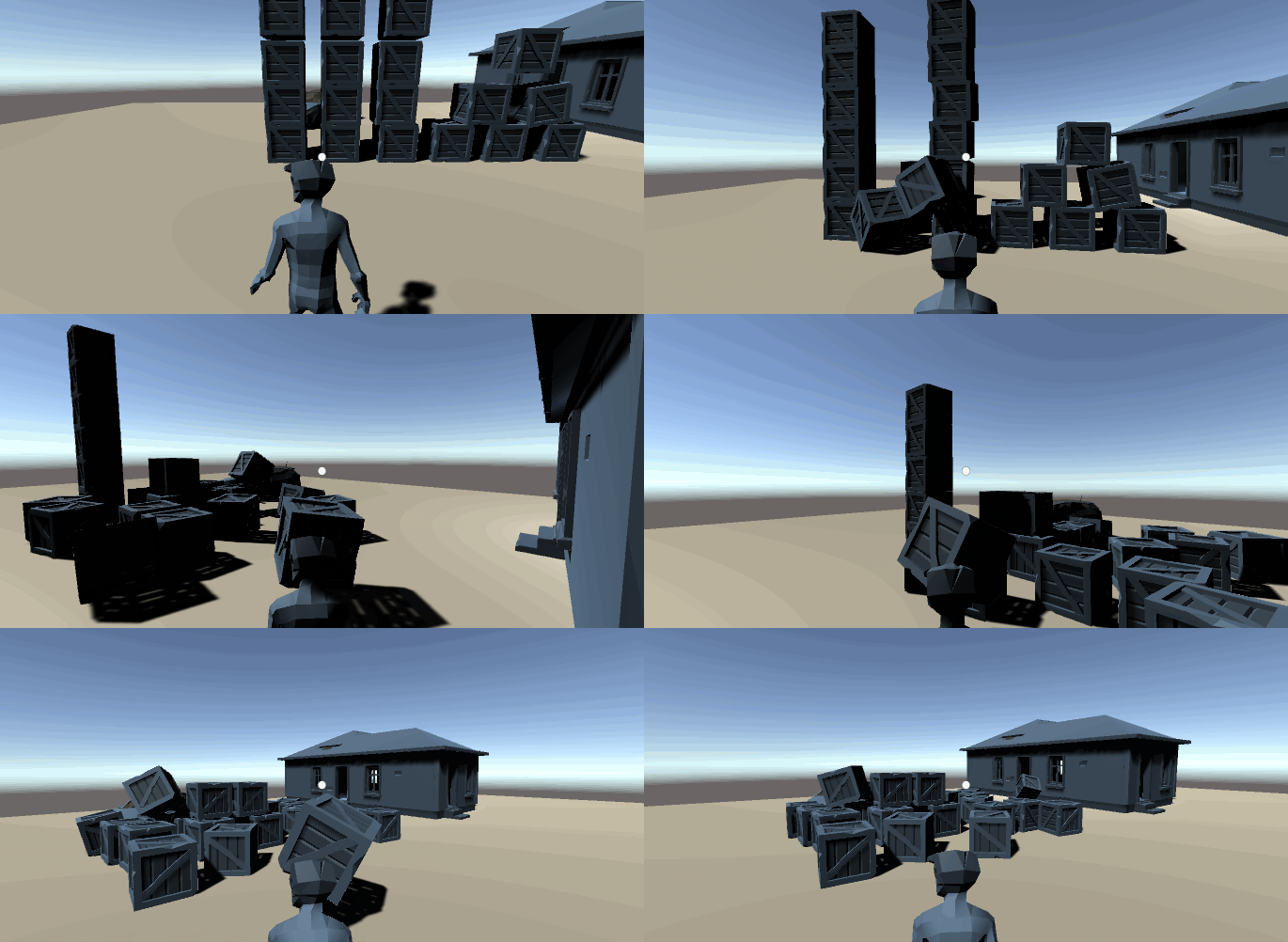
Everyone thought about having telekinesis as a kid. Why not fulfill that fantasy and actually give yourself that power, in a game? If you ever wondered how games like Control or Psi Ops: Mindgate conspiracy do it, you’ve come to the right place. It’s easier than you think!
What we will be creating:
 This is a 4th part of my Unity gamedev series. For the previous part visit:
In this part I will show you how to generate enemies on the NavMesh. I will make them chase me and collide with objects…
itnext.io If you are just starting to learn how to develop games, you can follow my udemy course on Unity development for beginners:
Hi, my name is Jan Jileček and I am a professional game developer with master’s degree in computer science and I’ve…
Scene setup
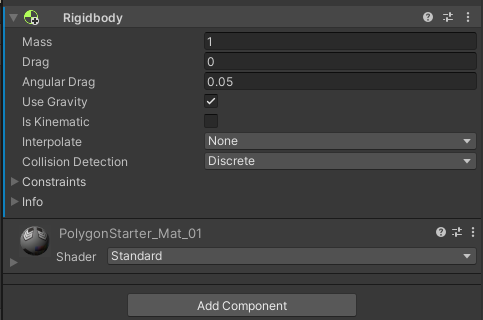
If you have the scene set up from the previous parts of my gamedev series, add RigidBody component to the box in the scene. If not, and you are using your own controller and player, just add a 3D cube and assign the RigidBody to it.
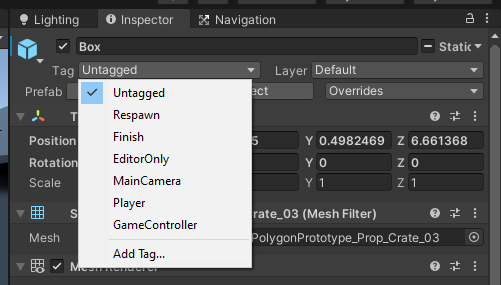
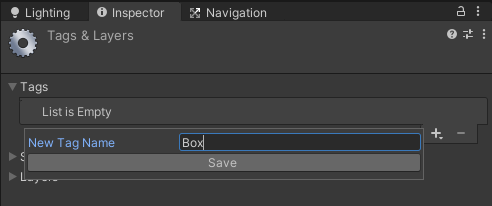
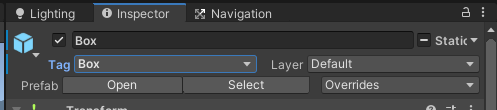
 Create a tag Box and add it to the Box. We will be able to use telekinesis on anything that has the Box tag.
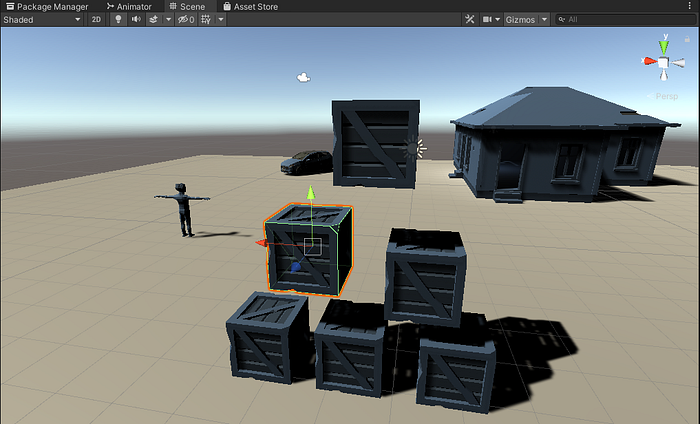
 Duplicate the object a few times so we have some boxes to play with.
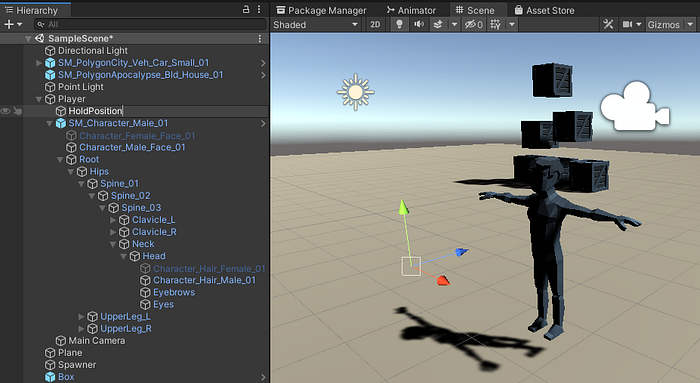
 Create an empty object, called HoldPosition. Position it in front of the player and parent it to the Player object. It will be the place the telekinesis object will levitate at after we attract it.
 If you are just starting to learn how to develop games, you can follow my udemy course on Unity development for beginners:
Hi, my name is Jan Jileček and I am a professional game developer with master’s degree in computer science and I’ve…
The Telekinesis functionality
Create a new C# script, call it Telekinesis (code available on my github, link below).
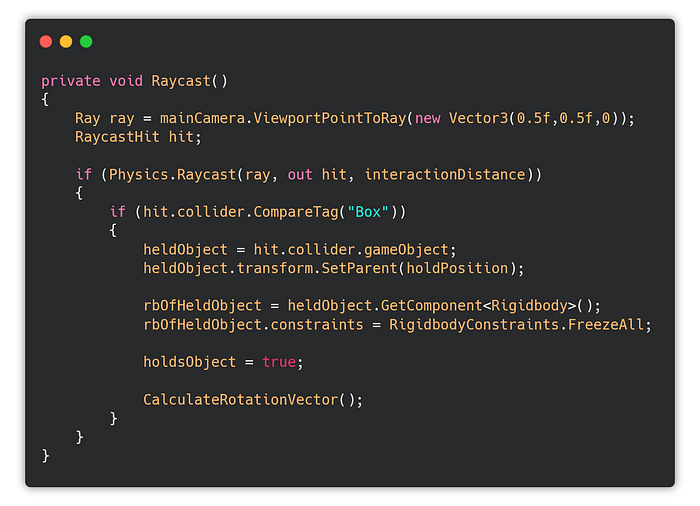
I want to attract objects that I point at with the crosshair. I do that my calling ViewportPointToRay in the middle of x and y coordinates.
If I hit an object that is close enough to me, I check if it has the Box tag. If it does, I parent the object to the holdPosition object I set up earlier. Then I freeze the rigid body in place, and I call the rotation function (that is a polish function I will be implementing last, functionality is priority now).
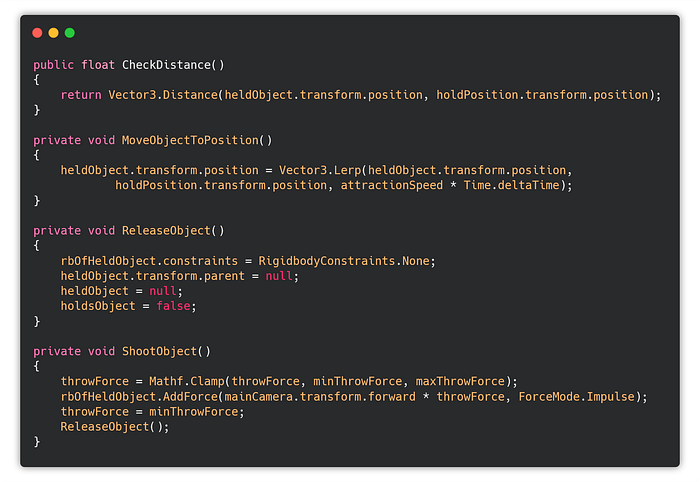
 The CheckDistance just checks the distance between the object, and the hold position. MoveObjectToPosition lerps the object to the hold position. Release object releases the object from the hold position (dereferences all values). ShootObject shoots the object with the throw force in the forward direction of the camera.
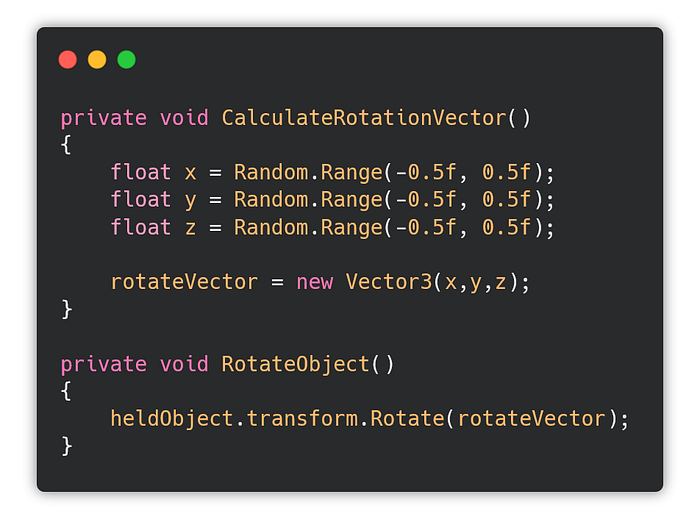
 The rotation effect will is done using the transform.Rotate function. It uses random values each time its used.
 All we need to do now is to add the actual controls and map the to the functions.
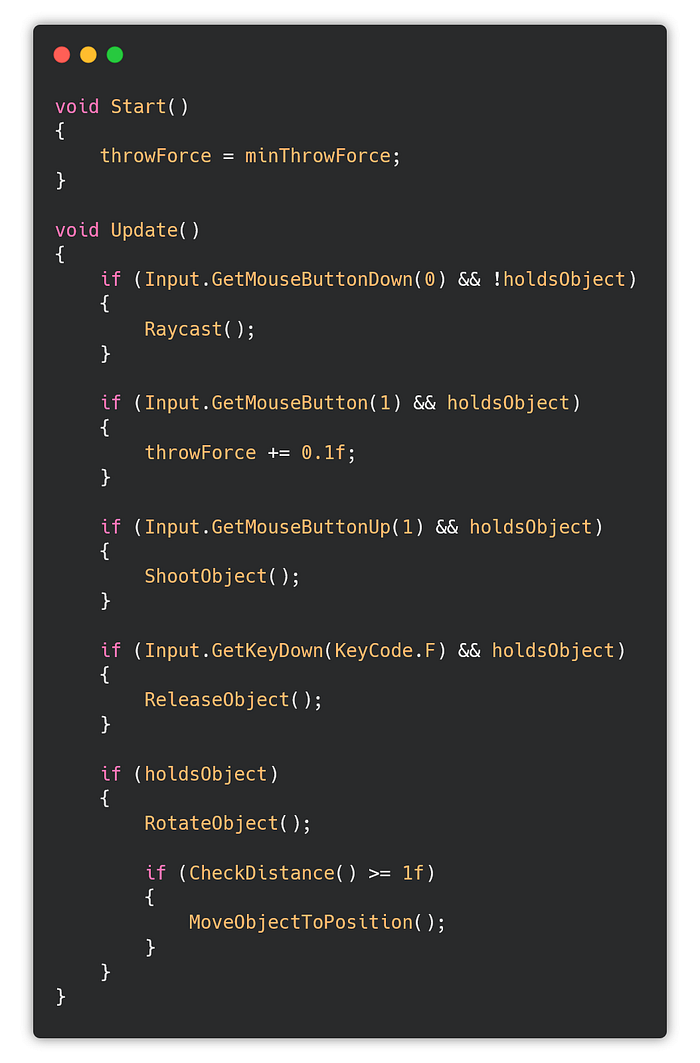
In the Start I just initialize the throwForce. The Update method takes care of the input.
If I press left mouse, I attract the object. If I hold the right mouse, the throw will be stronger. If I just press it, it gets thrown with the default force. And if I press F, I just drop the object.
All we need to do now is to add the actual controls and map the to the functions.
In the Start I just initialize the throwForce. The Update method takes care of the input.
If I press left mouse, I attract the object. If I hold the right mouse, the throw will be stronger. If I just press it, it gets thrown with the default force. And if I press F, I just drop the object.
Finishing moves
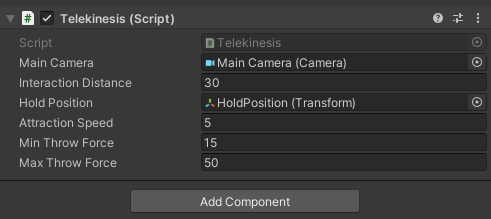
Add the Telekinesis to the Player and assign the necessary values like Camera, Hold Position and choose your own variable values.
 For the crosshair, create a new game object — Image (Canvas gets created automatically).
Set the image to anchor to the center of the screen.
For the crosshair, create a new game object — Image (Canvas gets created automatically).
Set the image to anchor to the center of the screen.
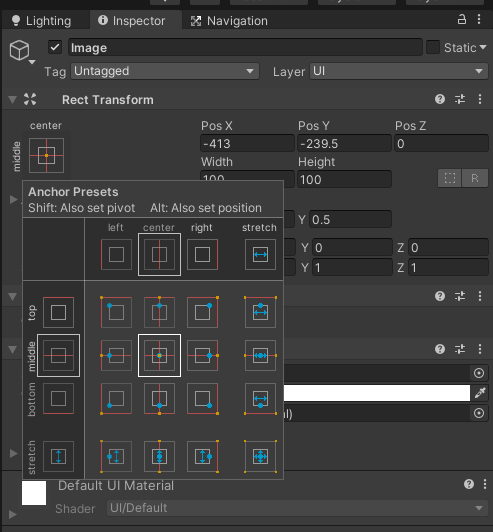 Set its position to (0,0,0), so it fits right in the middle of the screen, and change the width and height to 10. Change the source image to Knob, so it becomes a nice tiny circle.
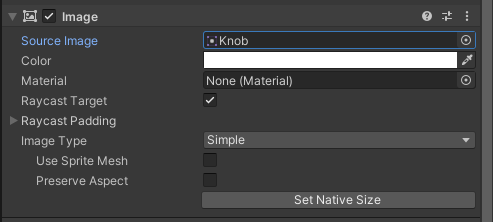
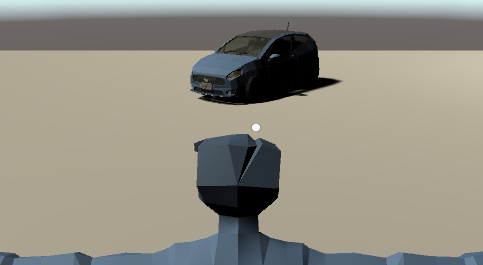 Run the game. Done.
The result
In the next part I will add the enemy/telekinesis dynamic, so we can hurt the zombies from part 3.
Follow me on medium for more tutorials like this. You can also follow my twitter or youtube, where I post gamedev, Jungian psychology and mythology related content.
The latest Tweets from Jan Jilecek (@janjilecek). INTP,indie game developer,director,writer,sysadmin, photographer. I…
I am a Czech indie game developer and film maker and I really like Jungian psychology and mythology.
www.youtube.com Source code on github.