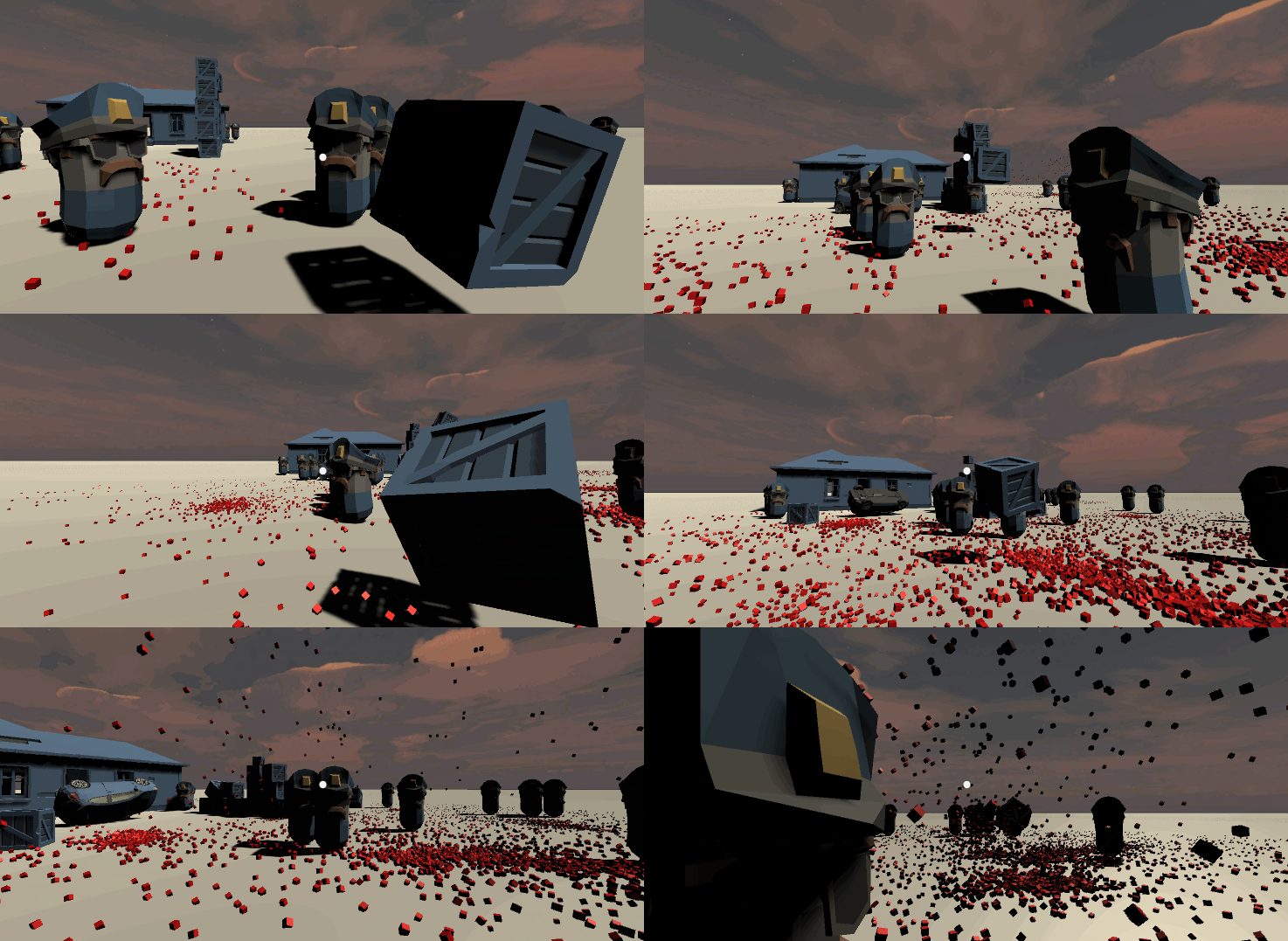
In this tutorial I will show you how to kill enemies with bricks, using Unity collisions. Whole project available on my github.
 For previous parts visit:
Yarn Editor and Yarn Spinner is a framework for creating conversations easily, created by the authors of Night In The…
Everyone thought about having telekinesis as a kid. Why not fulfill that fantasy and actually give yourself that power…
itnext.io
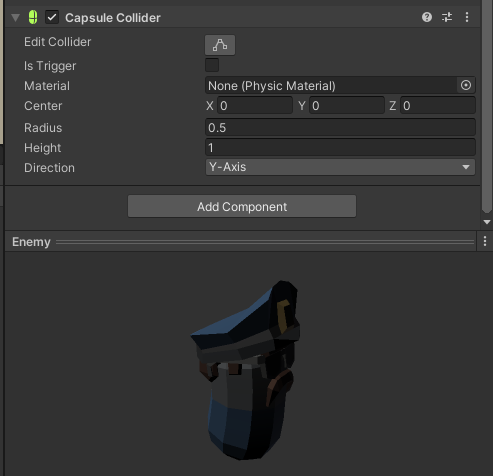
Add a capsule collider to the enemy prefab and check the Is Trigger. Thrown boxes will interact with it.
 Create a new blood splash effect / particle effect. Make a prefab from it (just drag it into Assets).
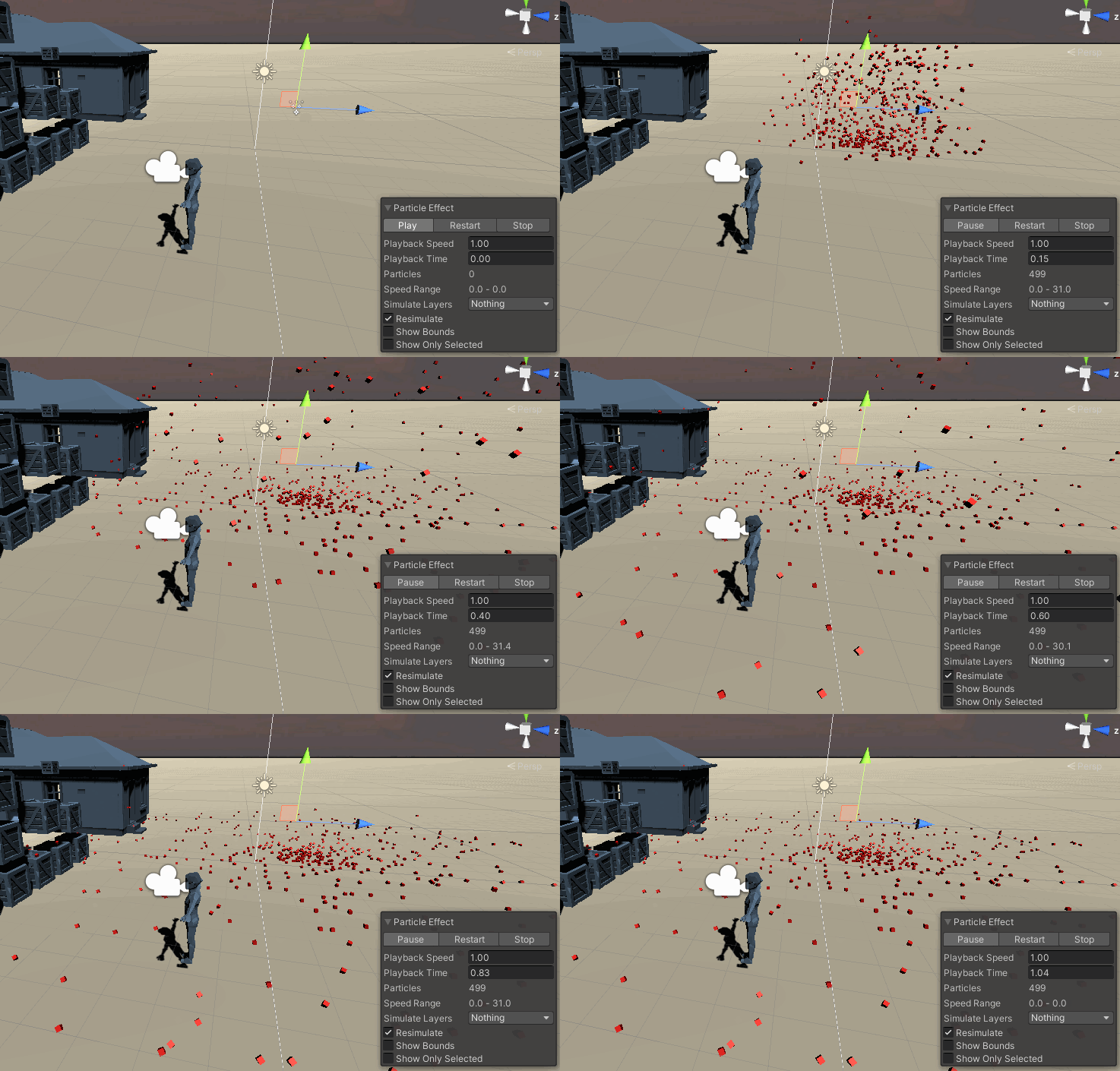
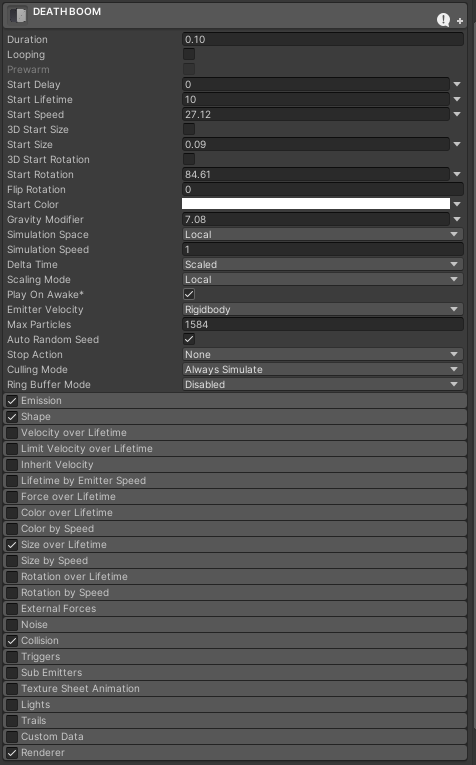 Make a new variable deathSplash in the Enemy.cs, as well as OnTriggerEnter, that will Destroy the game object and instantiate the blood prefab if the box that hit the enemy has high enough speed (velocity).
using System;
using UnityEngine;
using UnityEngine.AI;
[RequireComponent(typeof(NavMeshAgent))]
public class Enemy : MonoBehaviour
{
    private NavMeshAgent pathfinder;
    private Transform target;
    public GameObject deathSplash;
    void Start()
    {
        pathfinder = GetComponent<NavMeshAgent>();
        target = GameObject.Find("Player").transform;
    }
    void Update()
    {
        pathfinder.SetDestination(target.position);
    }
    private void OnTriggerEnter(Collider other)
    {
        if (other.CompareTag("Box"))
        {
            if (Mathf.Abs(other.attachedRigidbody.velocity.x) > 5f ||
                Mathf.Abs(other.attachedRigidbody.velocity.y) > 5f ||
                Mathf.Abs(other.attachedRigidbody.velocity.z) > 5f)
            {
                Instantiate(deathSplash, transform.position, Quaternion.identity);
                GameObject.Destroy(gameObject);
            }
        }
    }
}
Associate the blood prefab to the variable:
 Run it and we are done!
Github repo with the project:
Run it and we are done!
Github repo with the project:
Contribute to janjilecek/unity_tutorial development by creating an account on GitHub.
github.com If you are just starting to learn how to develop games, you can follow my udemy course on Unity development for beginners: