 When you are working on a long-term project it’s crucial to keep things tidy, organized and scalable. Let’s take a look at 3 design patterns that will help with that — observer, state and command pattern. In the terms of attributes it will be the header and range modifiers.
Design patterns
Observer pattern
The observer pattern is a software design pattern in which an object, called the subject, maintains a list of its dependents, called observers, and notifies them automatically of any state changes, usually by calling one of their methods. — wikipedia
First I create a model scene. The observer pattern consists of the subject and the observers.
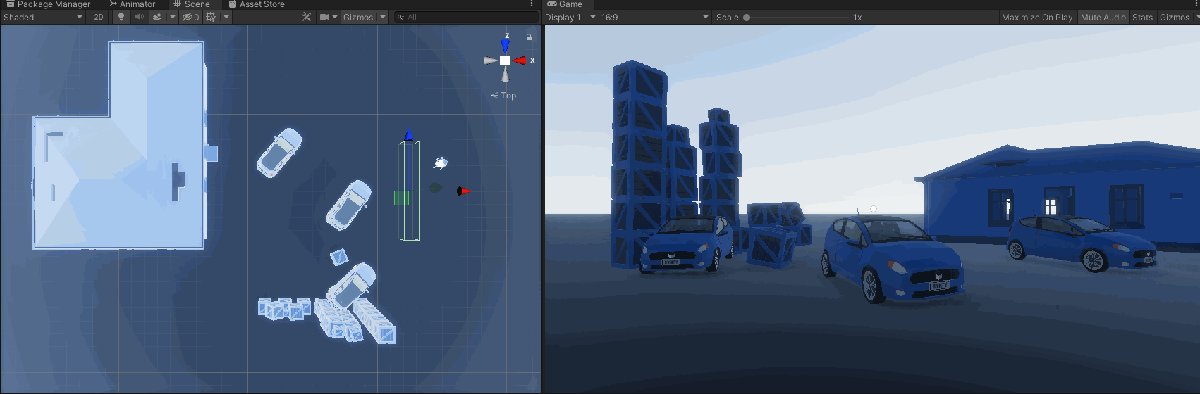
As an example I have 3 observers — rigid body cars, that will move in either direction once the player walks through the subject, cube trigger.
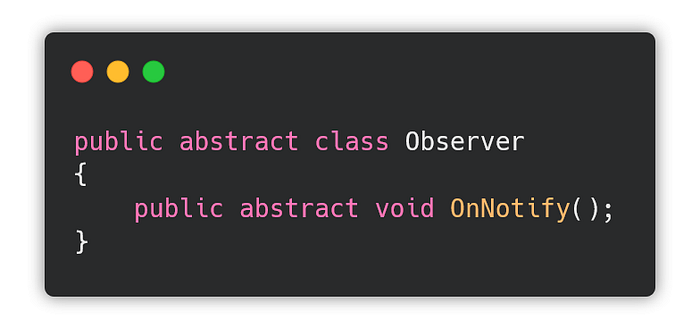
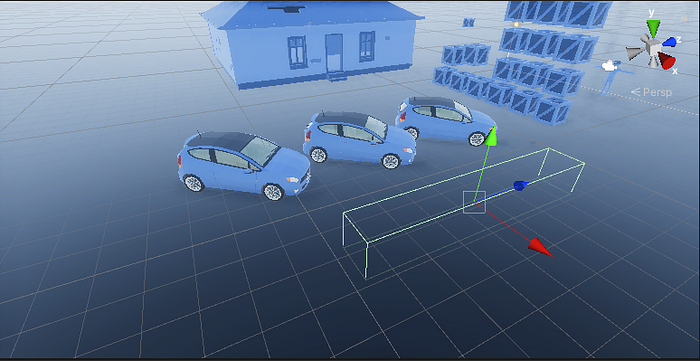 Now I will create an observer and subject classes. Observer is abstract interface, as many objects will have to implement its functionality themselves.
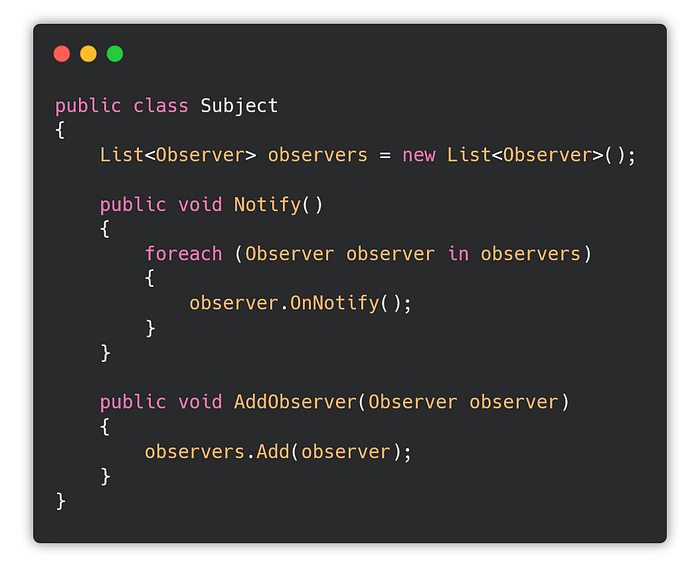
 Subject holds a list about all of the observers it will eventually notify.
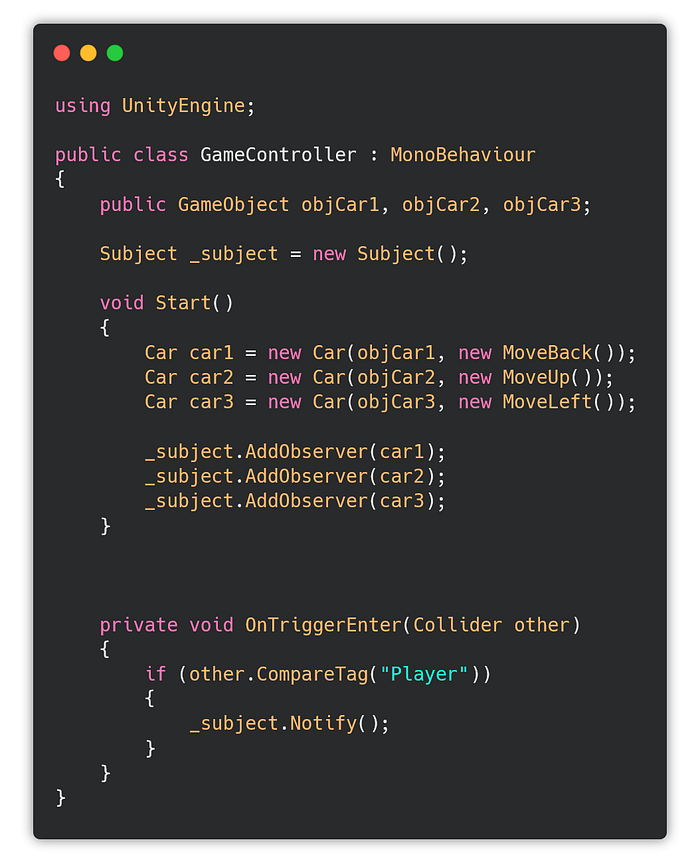
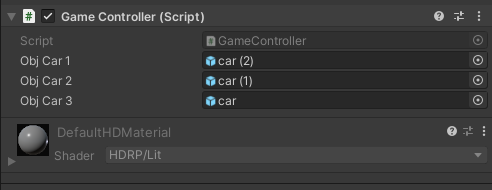
 Everything is controlled from a Game Controller.
 I need a Car class:
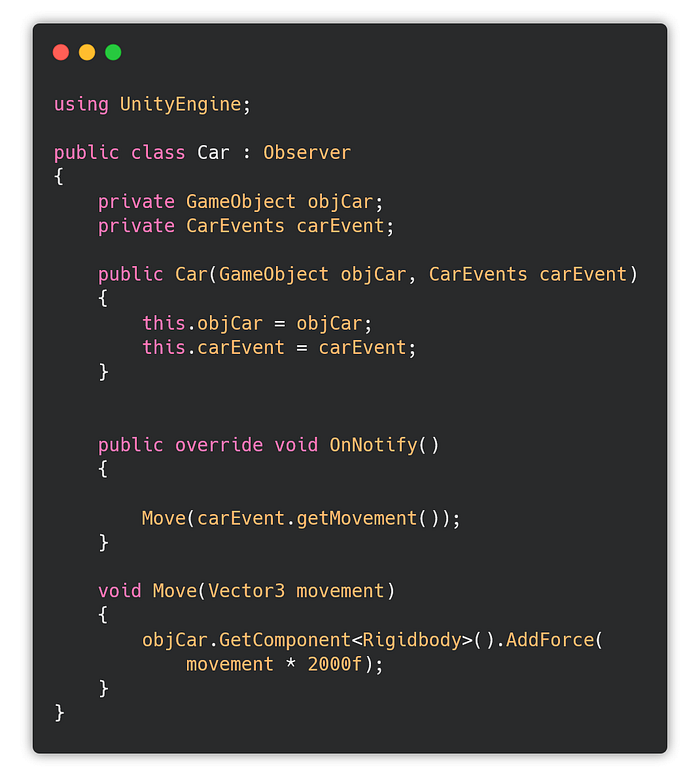 And I need CarEvents:
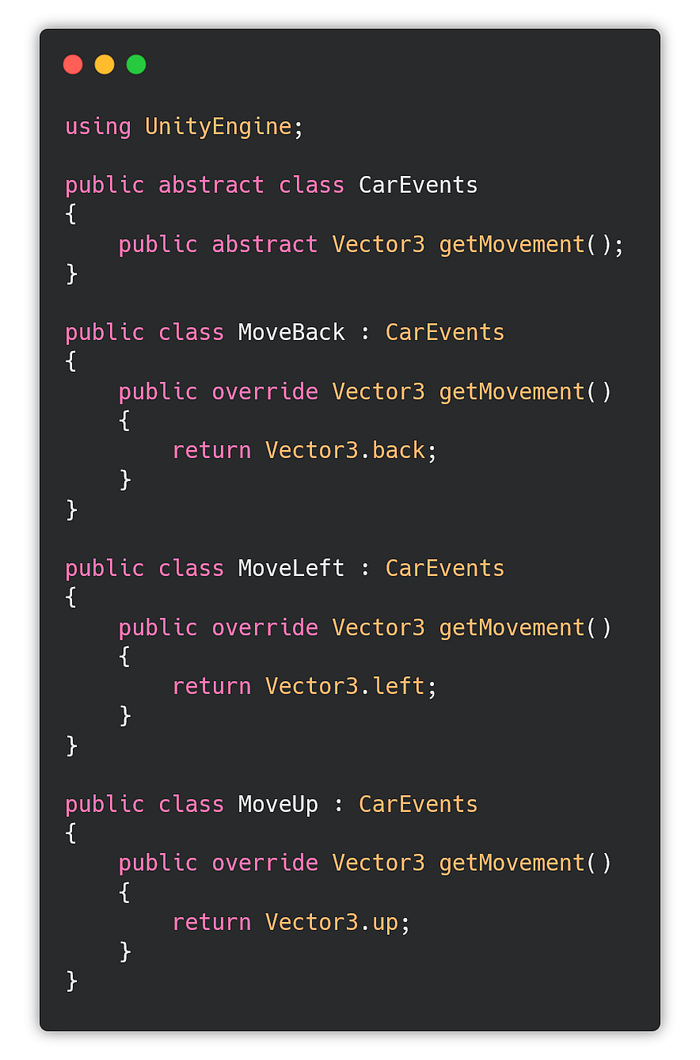 And last thing I need to do is to assign the car objects to the game controller (the trigger cube holds it):
 Now when I enter the trigger, the cars will move in a way specified by the move function I assigned them (move left, up, back):
 If you are just starting to learn how to develop games, you can follow my udemy course on Unity development for beginners:
Hi, my name is Jan Jileček and I am a professional game developer with master’s degree in computer science and I’ve…
Command pattern
Command pattern is a behavioral design pattern in which an object is used to encapsulate all information needed to perform an action or trigger an event at a later time. This information includes the method name, the object that owns the method and values for the method parameters. — wikipedia
Really useful for things like control keys binding. Without using the Command pattern, implementing control keys would look something like this:
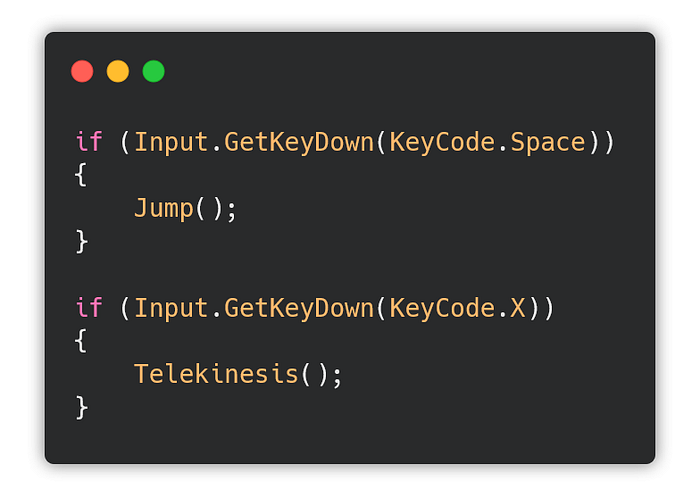 What if you have 20 keys assigned to various in-game functions and you need to rebind one of them? You would need to rewrite the whole thing. Now is the time to utilize the command pattern.
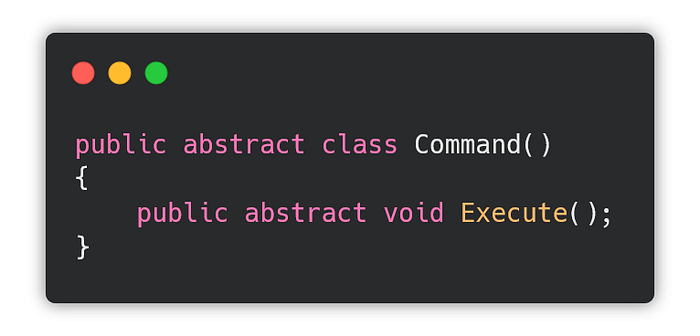
First define an abstract interface:
What if you have 20 keys assigned to various in-game functions and you need to rebind one of them? You would need to rewrite the whole thing. Now is the time to utilize the command pattern.
First define an abstract interface:
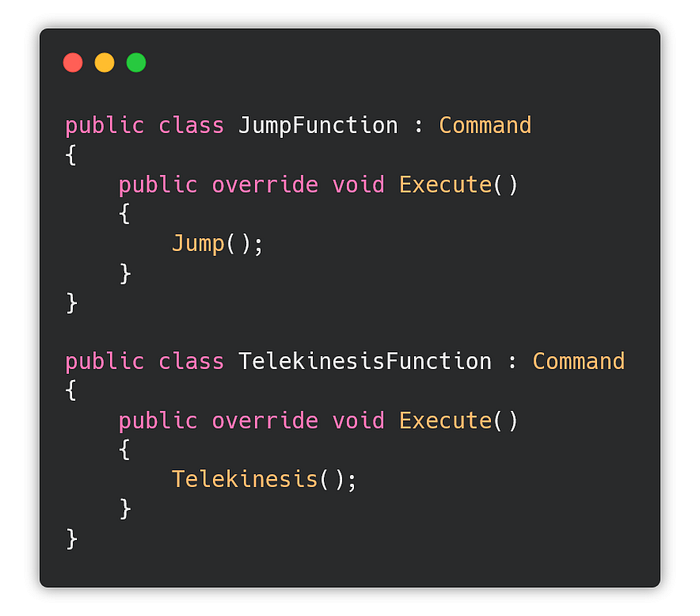
 Prepare the function classes:
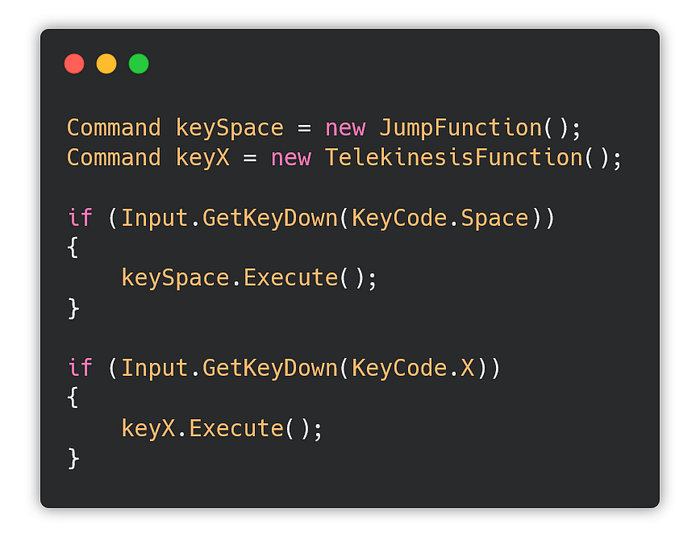
 Now you can just call the Execute function and swap the function on demand, whenever you need to use a different function for a key.
State pattern
The state pattern is a behavioral software design pattern that allows an object to alter its behavior when its internal state changes. This pattern is close to the concept of finite-state machines. The state pattern can be interpreted as a strategy pattern, which is able to switch a strategy through invocations of methods defined in the pattern’s interface. — wikipedia
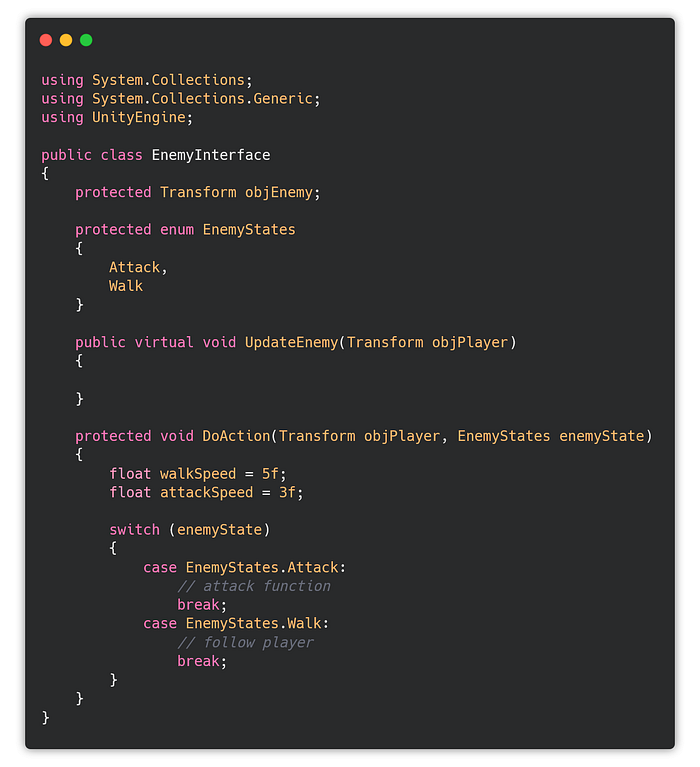
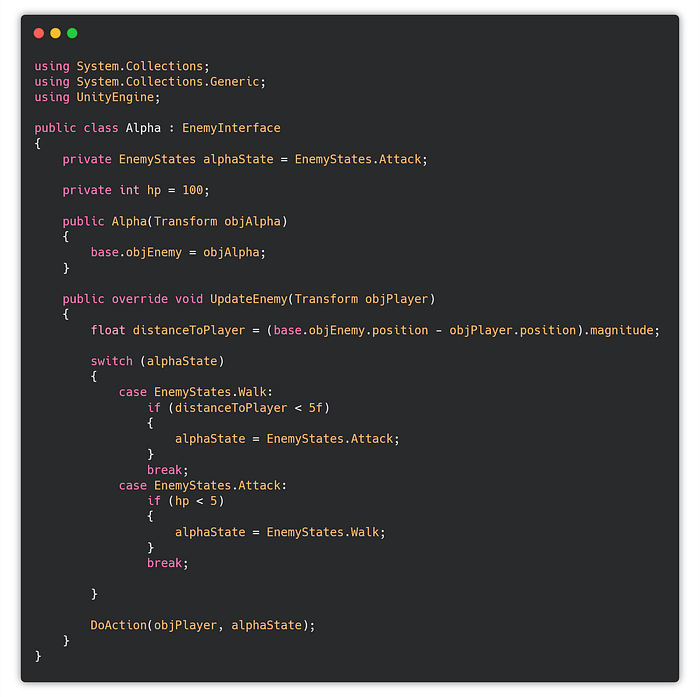
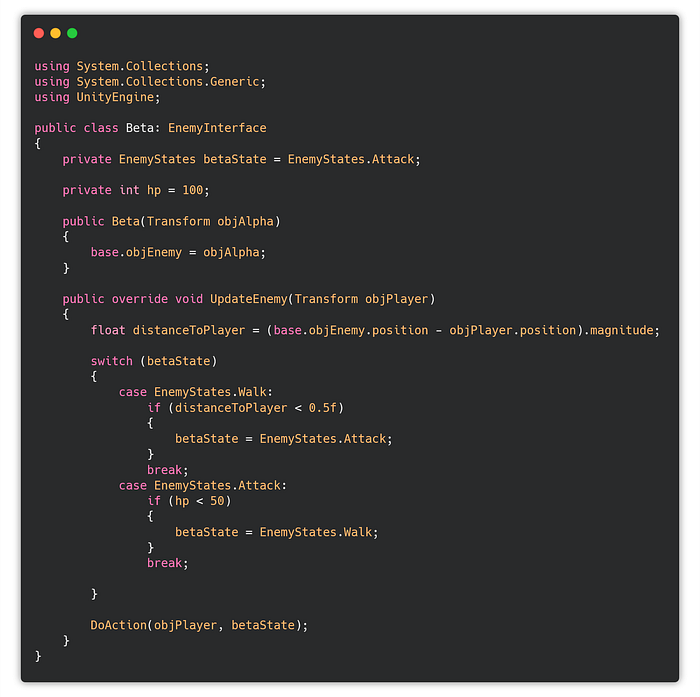
If you have an object you want to control with multiple states, you will need a Finite State Machine to distinguish all the possible scenarios that can happen.
Let’s create an Enemy interface class first.
 Then an Alpha and Beta enemies:
 And a game controller that will control everything.
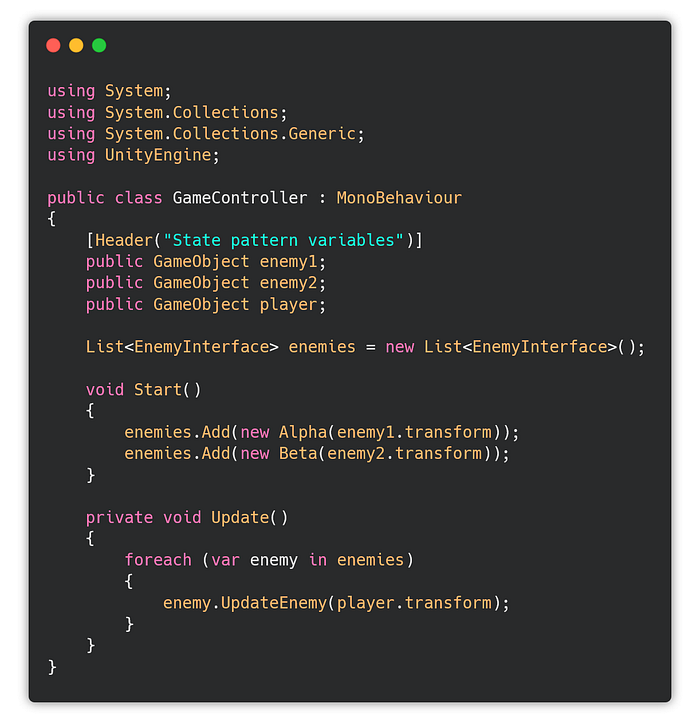 Now the states will be consistent among the inherited members of the enemy interface, and it will be easy to do changes to the state machine in the future.
Unity C# attributes and code organization
 In Unity you certainly already tried something like this:
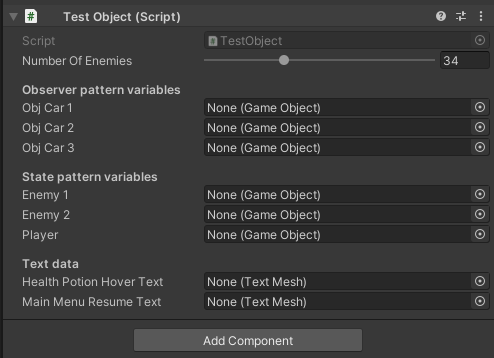
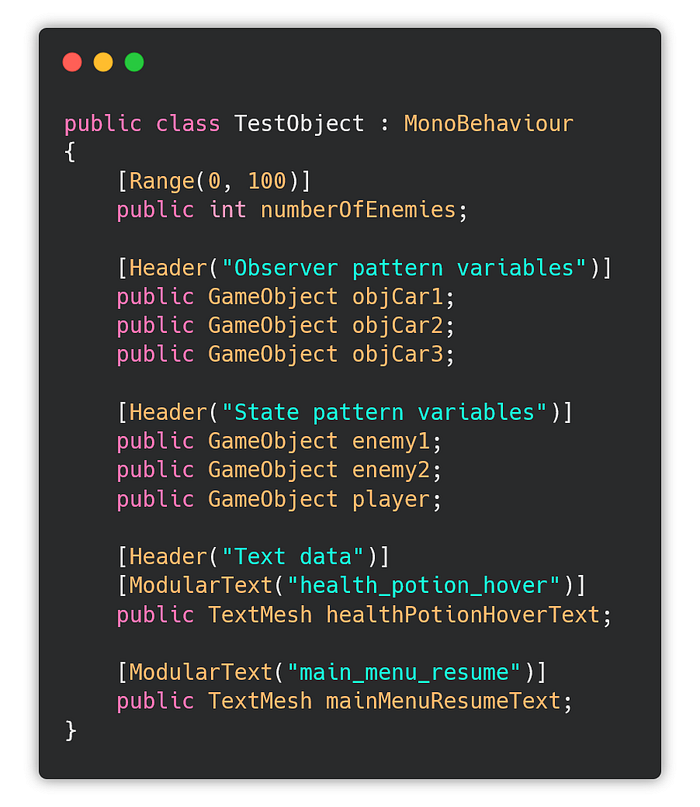 The Range attribute creates a slider in the Unity inspector of the associated object/script, and the Header will compartmentalize the variables neatly.
 But attributes are so much more useful than this.
Another great use stems from the fact that you can retrieve a list of fields and classes that the attribute is applied to. That means you don’t need a direct reference to the object!
This comes very useful when preparing a game for localization and translations, as you will probably have hundreds or thousands of strings to translate.
But attributes are so much more useful than this.
Another great use stems from the fact that you can retrieve a list of fields and classes that the attribute is applied to. That means you don’t need a direct reference to the object!
This comes very useful when preparing a game for localization and translations, as you will probably have hundreds or thousands of strings to translate.
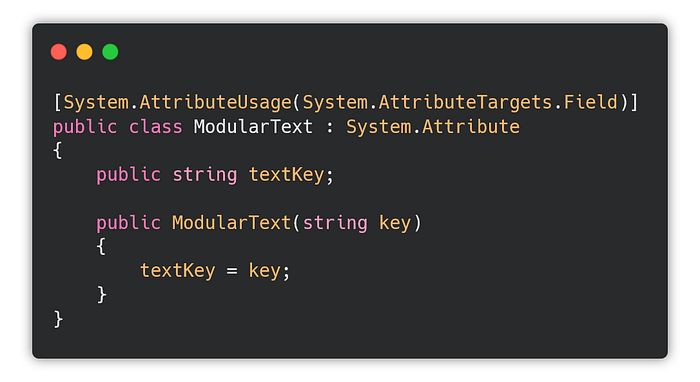 You can then use it like so:
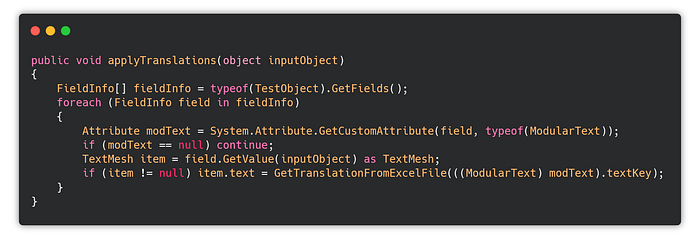
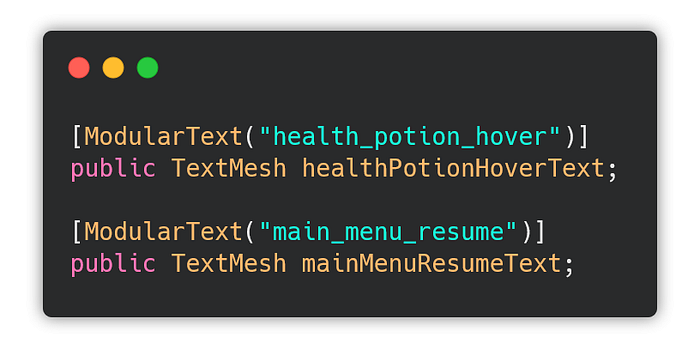 Later, when you will need to add translations, you can simply search for all of the objects marked with ModularText attribute and set the translated text:
 As you can imagine, this method is a godsend when coding any UI elements, that need a lot of additional functions (tooltips etc.).
I made the code from this article available on my github.
Also check out the previous parts of my gamedev series! :)
As you can imagine, this method is a godsend when coding any UI elements, that need a lot of additional functions (tooltips etc.).
I made the code from this article available on my github.
Also check out the previous parts of my gamedev series! :)
We will take a look at global and local HDRP Volumes and tinker with post-processing and fog.
In this tutorial I will replicate the menu style from the famous 2010’s game, Limbo:
itnext.io Tomorrow’s part of the series will be the last, I will finish the game design and visual style of the project we’ve been creating.